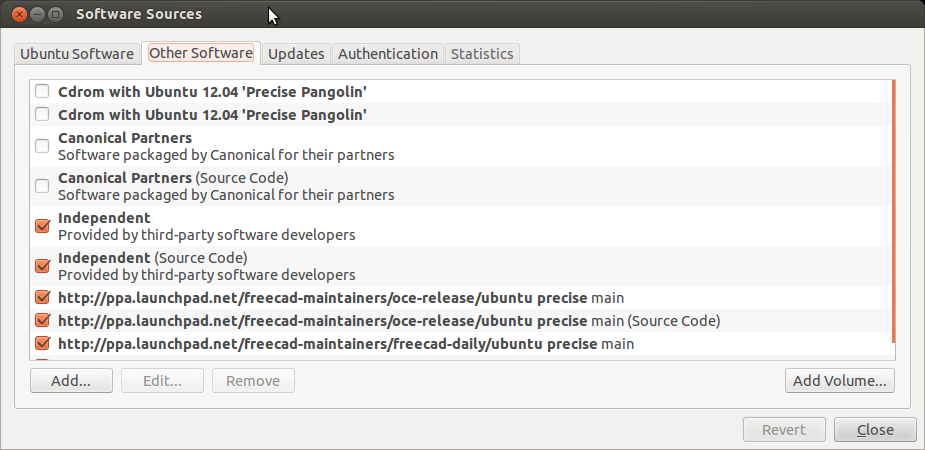
Up until now, most of the stuff, that I’ve done I’ve been doing in freecad hasn’t required dimensioning. I got the impression that dimensioning functionality wasn’t a particulary advanced feature within freecad until I saw this video by normandc.
Well this is really cool, unfortunately now my version of freecad doesn’t seem to have this on my desktop, but might have it on my laptop…
I’m running the .14 development branch on both(I think)
At this point, I’m content just using the PPA vs compiling from source (To many irons in the fire, so I’m going to try the easy[?] route first to see if I can get this straightened out..
So I think I need to bounce around between the desktop and the laptop and see if I can figure out why one has the feature and one doesn’t…
So… I just did and update on my desktop and this is my first.
The desktop.
OS: Ubuntu 12.04.4 LTS
Word size: 64-bit
Version: 0.14.3677 (Git)
Branch: master
Hash: 07c64e206d05ae662ba40ae125ba991cced7cc9e
Python version: 2.7.3
Qt version: 4.8.1
Coin version: 3.1.3
SoQt version: 1.5.0
Now figuring out the PPA’s are installed is pretty easy
So.. on my desktop Freecad PPA’s appear to be this.
And on the laptop we have this.
OS: Ubuntu 12.04.4 LTS
Platform: 64-bit
Version: 0.14.3665 (Git)
Branch: master
Hash: 2320e994b30609331ae3907298ca0f5c86c18850
Python version: 2.7.3
Qt version: 4.8.1
Coin version: 3.1.3
SoQt version: 1.5.0
(Which was a bit behind..) So I’m running updated now(which is sort of dumb because I think I’m going to loose the feature I want but a least I’ll know why my freecads are different.
Ok. So I just did an update on my laptop I get this.
OS: Ubuntu 12.04.4 LTS
Word size: 64-bit
Version: 0.14.3677 (Git)
Branch: master
Hash: 07c64e206d05ae662ba40ae125ba991cced7cc9e
Python version: 2.7.3
Qt version: 4.8.1
Coin version: 3.1.3
SoQt version: 1.5.0
OCC version: 6.7.0
Now what’s really curious is as near as I can tell the draft thing works on my laptop but not in my laptop..
What do I mean my not working?
Well, If I’m in Draft in combo view, I get all kinds of options like in Norberts video If you click on Task you get a option to create objects, (where you select dimension) and then it provides a sub-menu under task… All that is blank on my desktop.
What I think I got going on, is that certain components are getting double installed or something…. So.. I going to uninstall freecad from my desktop from the software center, delete all freecad related ppas with the gui, update and add the freecad ppas currently on my laptop and install freecad from the software center and see if that works.
Ok.. This is what’s for ppas on my lappy toppy.
binary
http://ppa.launchpad.net/freecad-maintainers/oce-release/ubuntu
precise
main
source
http://ppa.launchpad.net/freecad-maintainers/oce-release/ubuntu
“”
“”
binary
http://ppa.launchpad.net/freecad-maintainers/freecad-daily/ubuntu
“”
“”
source
http://ppa.launchpad.net/freecad-maintainers/freecad-daily/ubuntu
“”
“”
so according to http://www.freecadweb.org/wiki/index.php?title=Download#Ubuntu_PPA_packages
I just add this through the gui.. and install
ppa:freecad-maintainers/freecad-daily
And…
Well, that seems to be part of the problem.. It’s seems to be behaving better, but I I still don’t have the pull downs in the combo view…
[Edit] Well I got some of the combo views by renaming the .FreeCAD hidden folder that contains configurations so that it would re-generate. That seemed to work somewhat but its not perfect.