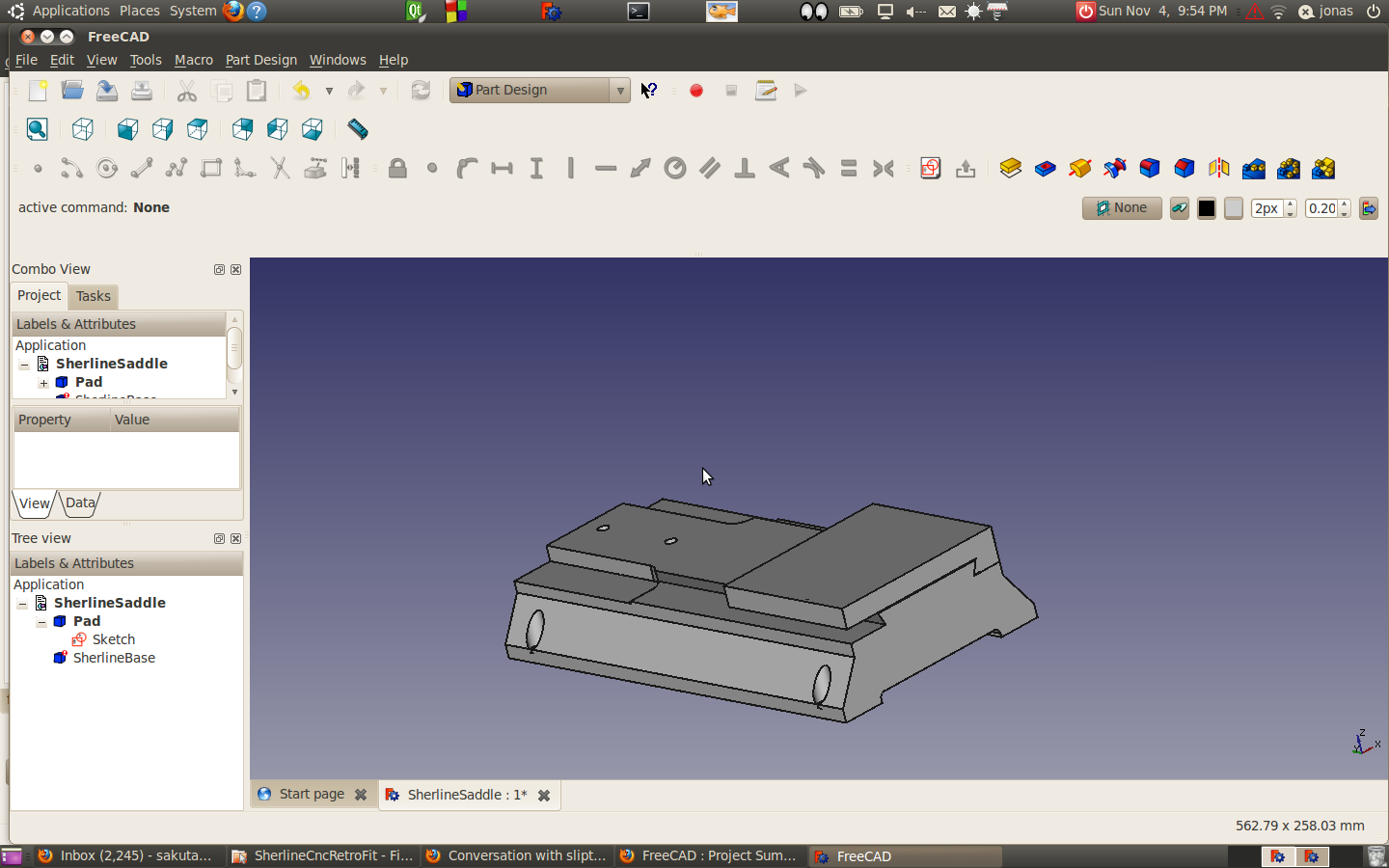
 I’ve been making some progress on the saddle. There’s a tapered gib in the system, so I’m going to see if I draw two referenced to the endfaces of the saddle. Them I’m going to loft them and then fuse them… That’s the plan anyhow.
I’ve been making some progress on the saddle. There’s a tapered gib in the system, so I’m going to see if I draw two referenced to the endfaces of the saddle. Them I’m going to loft them and then fuse them… That’s the plan anyhow.
One issue that I ran into was I made a mistake in the first sketch that I made of the saddle. Unfortunately, the way I set the constraint, messed this up and took a while to tidy up. To draw the saddle, I need the sketch for the sherline base. The thing is that the changes made to base to automatically propagate to the next level.
I think I want to study basic file structure to the fcstd and where things are at with freecad Assembly.
I need to go through this in a bit more detail. http://sourceforge.net/apps/phpbb/free-cad/viewtopic.php?f=3&t=3072&hilit=volume
Also a friend on the IRC was looking to have freecad calculate out a counterweight balance.
It seems like you would need to be able to extract out the volume of a solid…
I found a link on calculation surface area of a solid: http://sourceforge.net/apps/phpbb/free-cad/viewtopic.php?f=3&t=2913&p=22383&hilit=area#p22383
http://freecad-tutorial.blogspot.com/2012/03/mass-and-geometry-properties-my.html
Some suggested reading from the IRC https://sourceforge.net/apps/phpbb/free-cad/viewtopic.php?f=10&t=3157
Ok.. I think I have the Sherline base measured correctly. My screw up was in the base sketch. It all works out.. I need the practise.
Next step is the saddle.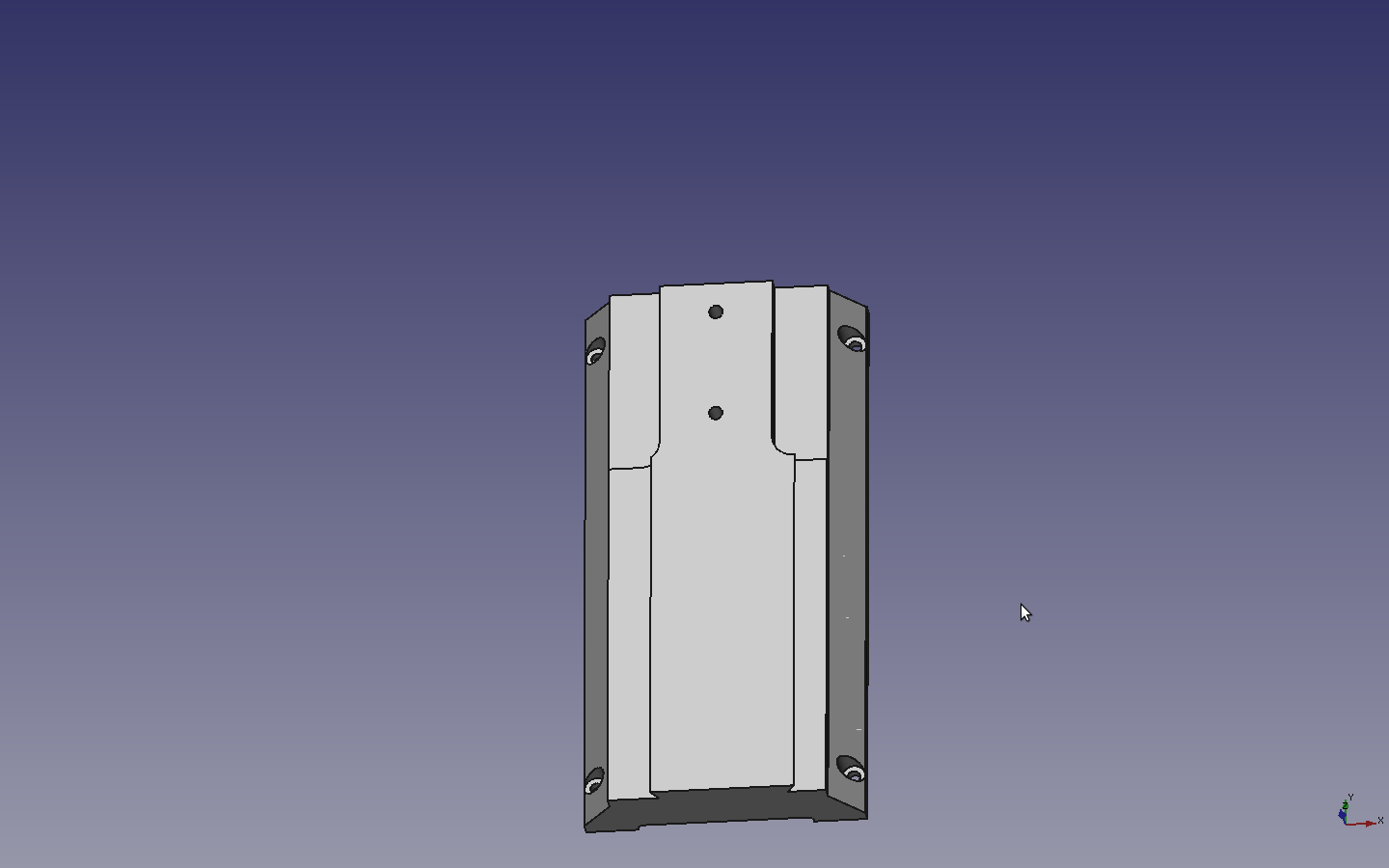
I don’t know where the assembly feature is yet with Freecad. Basically I’m still just practising by modeling the components of my old sherline mill. This probably not the way to to this, but I basically copy and renamed the sherline base file, deleted everything except the sketch and started sketching the top saddle. All of a sudden I notice that I’m way off on some dimensions. I had it in my head that the base was symmetric which when you look at it it’s clearly not. Duhhhh.
Luckily I was just a couple of lines in when I discovered this.
I should be easy to fix this hopefully,

I’ve been toying with the idea of using ball screws on my little Sherline. Unfortunately the only way this could remotely make any kind of economic sense is if I went with the 5/8″ dia screw from Mcmaster. http://www.mcmaster.com/#ball-screws/=jwpffz The screws are $18.65 a foot and and the nuts are $29.90, which is cheap…..
I was thinking I could get that to work until I took a look at a nut… It’s an inch square. I might be able to figure out a way to squeeze it in on the Y-axis, but it would be a little crazy on the x. There just not enough room. one possibility might be to make a new saddle, but that was really more work than what I wanted to do. In addition it would reduce the work area on the Z axis. The distance between the table an the bottom rail would be reduced.
I ran across a link on cnc zone which led me to this sight which talks about makeing lead screw modifications. 5bears offers some interesting techniques on turn down a lead-screw. (I’m going to want to check this out more in detail later.
The 5/8 ball screw on a Sherline mill is probably as really dumb idea. The existing lead screw is 1/4-20 threaded rod. The price is right, but the size isn’t for a 5/8 ball screw.
The original CNC retrofit done by D&M was really shlock. Had I known this in my original bartering, I think I would have traded for a few more goodies Anyway.. D&M long since out of business..
Here are a couple of pictures of the Sherline disassembled.
I don’t like where the y-axis lead screw is. It’s too close to the table. The existing motor motor mount is higher then the table. I really don’t like that. On the current Sherline CNC the motor mount is tapered for clearance.
Well, on the motor blocks. D&M basically slapped the motor mounts over the exist manual system.. Not bearings. I guess it was a way to make a quick buck.
This is also a very early model Sherline. and it has the original anti-backlash system which well it sort of sucks… The new system is much nicer, it’s meshing gears. Unfortunately retrofitting is a difficult because the center distance has changed.
So the plan for the moment to to get the rest of the components modelled in Freecad. I can use the practice with solid modeling and it will allow me to experiment with a few wacko idea without having to physically modifying the Sherline.
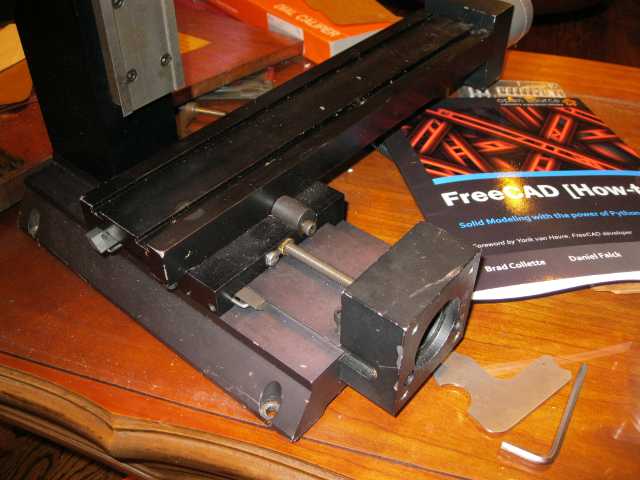
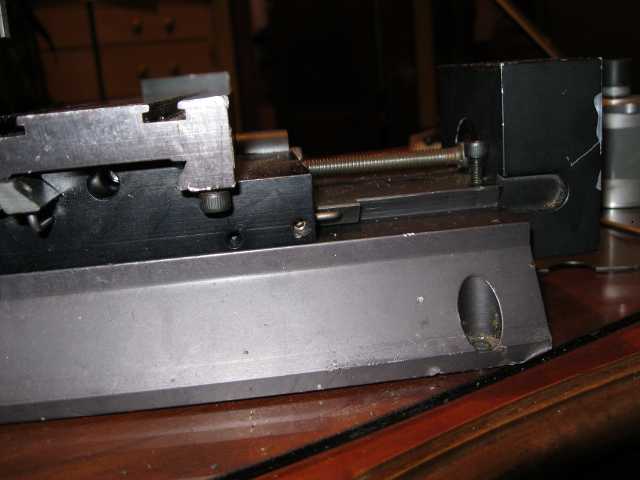
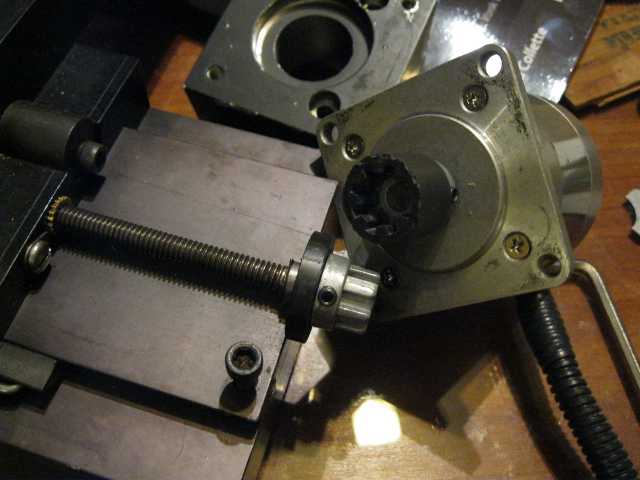
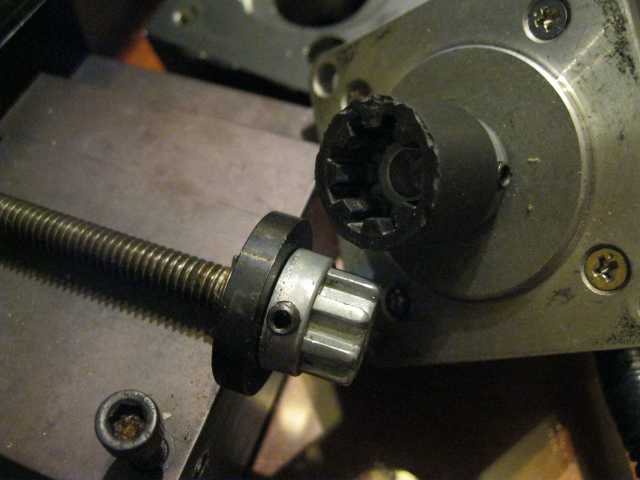
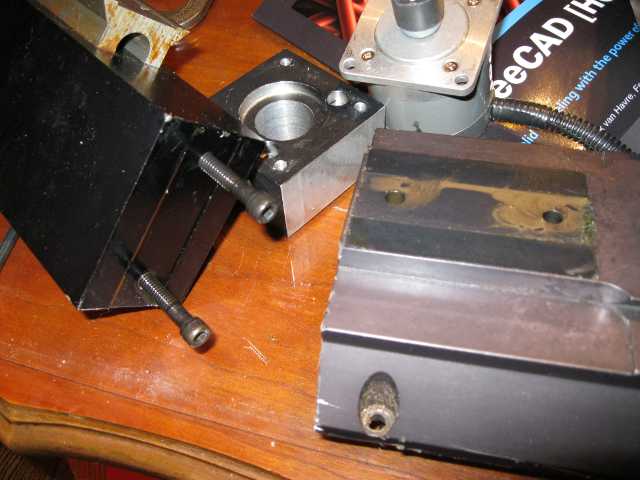
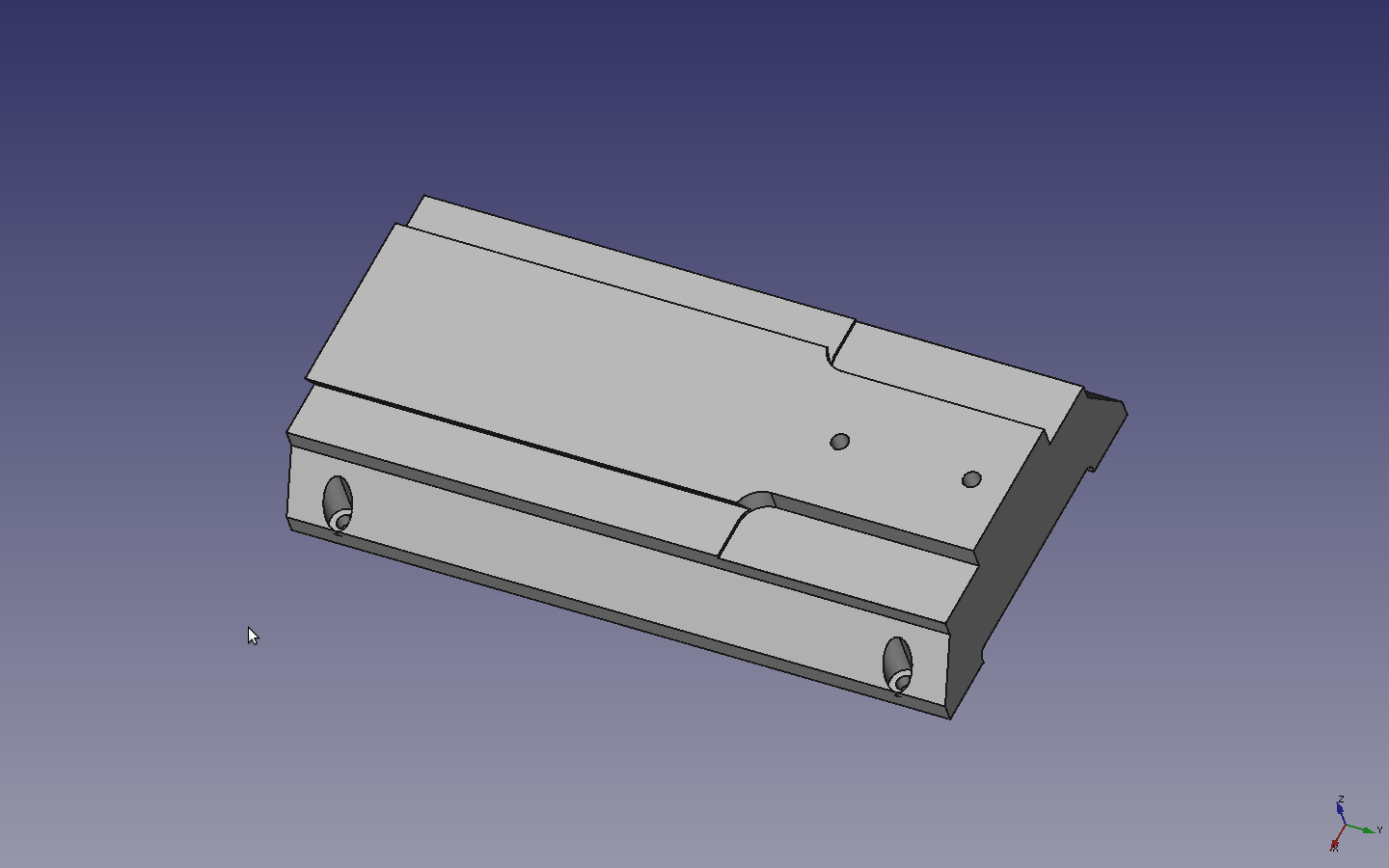
Time for bed.. Lets see if I can sum it up shortly.. Got the CNC Sherline in barter. Turned out that third party CNC conversion was slock. (Basically slapped Steppers over manual washer bearing setup.) Too cheap to buy the Sherline conversion kit. Need a project to work on Freecad..
So… Here’s the progress:
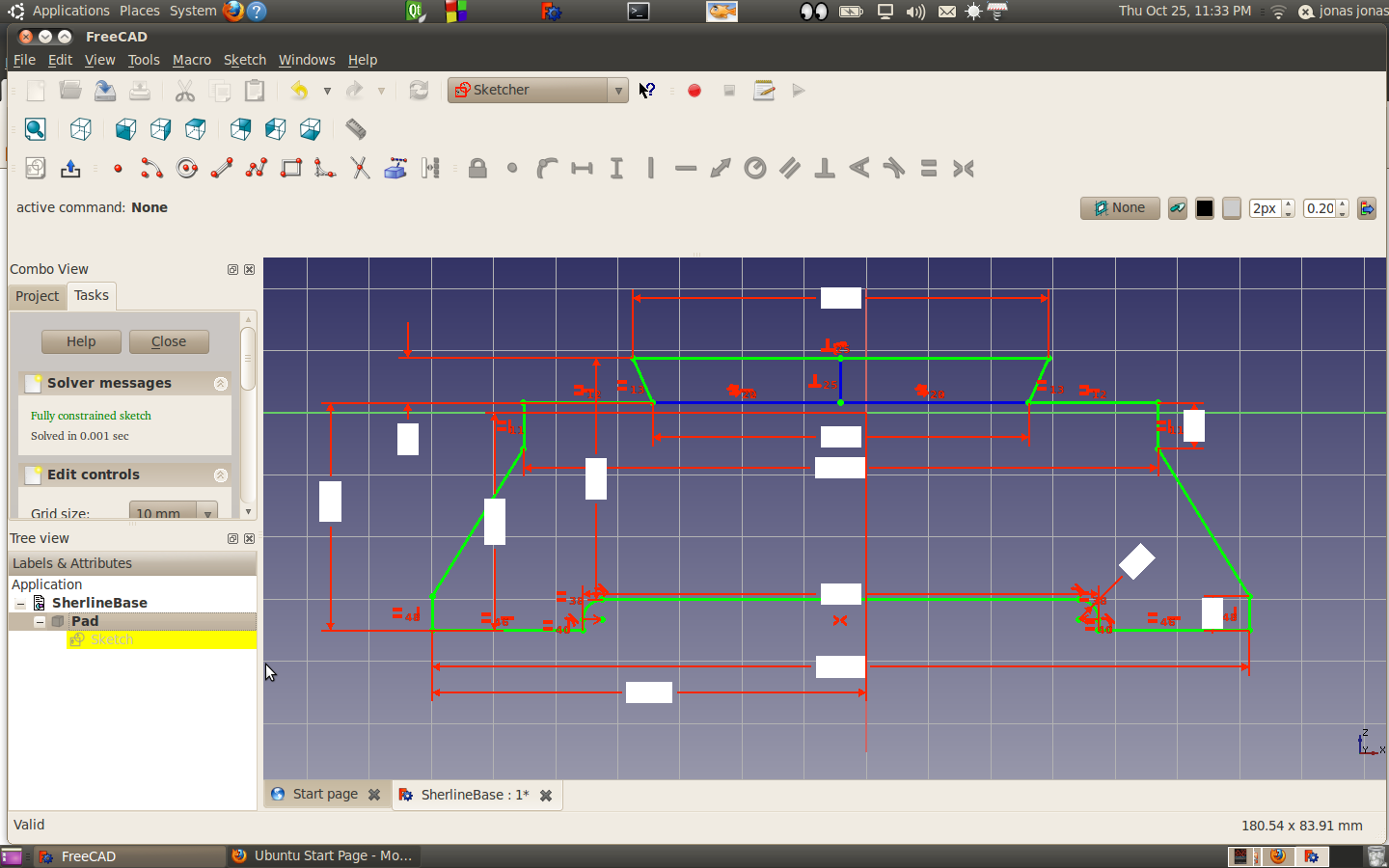
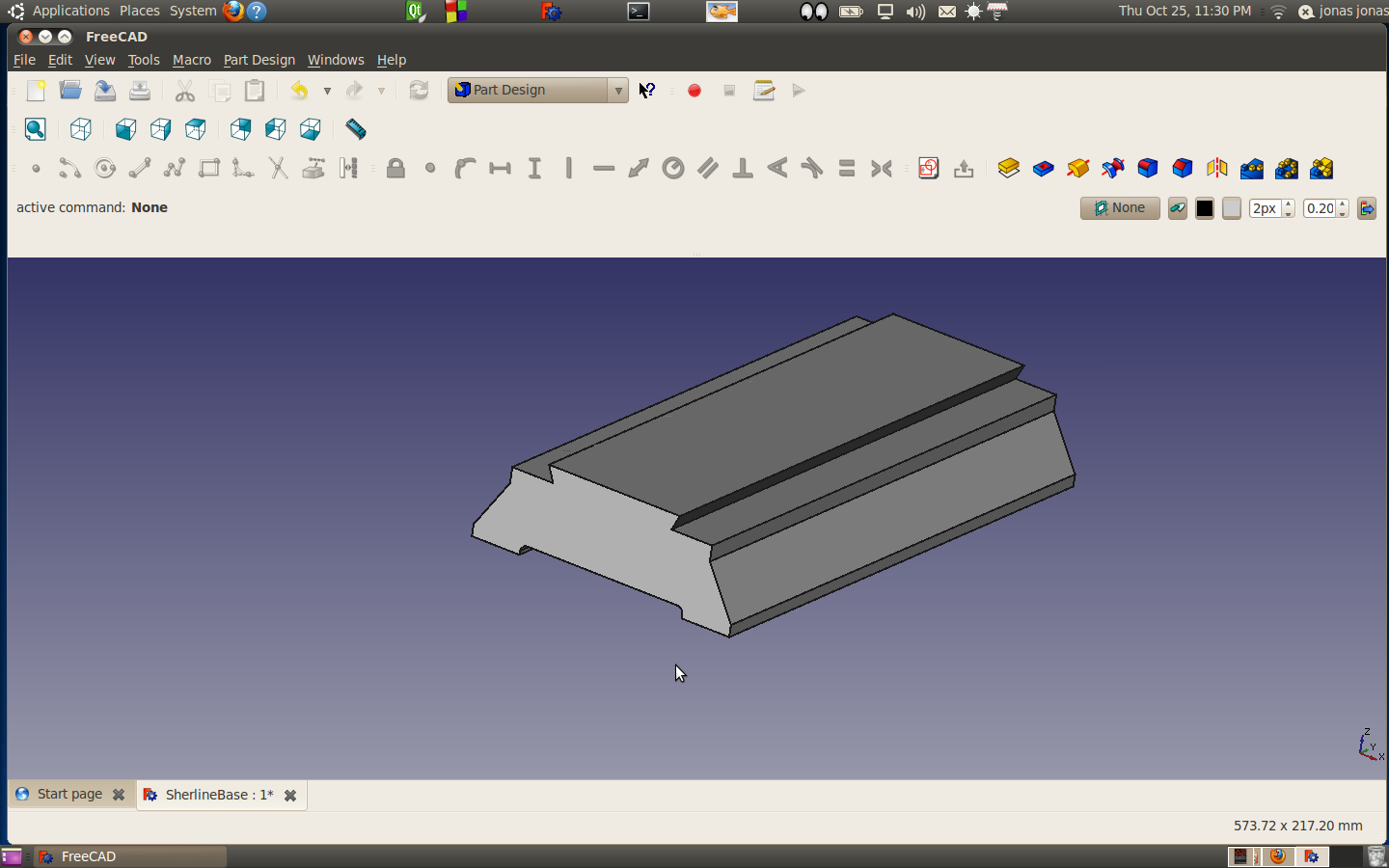
So I’ve created the extrusion.
Next steps
I’ve been eyeing this little camera from CNC4PC for a while and I wound up picking one up while I was at the 2012 cnc workshop.

CNC4PC machining camera
Sooner or later, I’m going to use it for machining, but actually I have some other things I want to do with it first:
Anyway… when I first purchased the camera I was in a rush to figured out how to get it to work, so I didn’t bother leaving any notes.
So we missed an ideal bug opportunity. Plus, I needed to get the model number off my treadmill and it just dawned on me that this camera could come in handy…. So darned it time to document.
Ok. Some I’m still running 64 bit 10.04 Ubuntu on my laptop.
https://help.ubuntu.com/community/Webcam
Lets see if I can retrace my steps here.
I have cheese installed and when I run the application it displays the webcam on my laptop and not the cnc4pc camera. (Ok… I remember that issues.)
It seems like cheese will fire up ok, displaying my laptop webcam. But if I have the usb webcam installed as well and fire it up.. It crashes? Playing around with it. The crash seems to occur when I access the usb camera…
Googling… It seems like cheese has issues from time to time. Ok.. Next step need to figure out the identity of the webcam by checking devices before and and after plugging it in.
jonas@jonas-laptop:~$ ls /dev/video*
/dev/video0
jonas@jonas-laptop:~$ ls /dev/audio*
/dev/audio
jonas@jonas-laptop:~$ # Now I’m plugging in the usb webcam
jonas@jonas-laptop:~$ ls /dev/video*
/dev/video0 /dev/video1
jonas@jonas-laptop:~$ ls /dev/audio*
/dev/audio
jonas@jonas-laptop:~$
There is a plug on the camera… (Might be of audio?)
So… I tried this from terminal and it works
jonas@jonas-laptop:~$ vlc v4l2:///dev/video1
VLC media player 1.0.6 Goldeneye
[0x12a9888] main libvlc: Running vlc with the default interface. Use ‘cvlc’ to use vlc without interface.
QPainter::begin: Paint device returned engine == 0, type: 1
QPainter::begin: Paint device returned engine == 0, type: 1
I’ve been exceeding busy the last couple of months and I finally had a little bit of time to squeeze in a couple of fun projects. A while I started playing around the sketcher and I found that is was missing some functionality that I really liked in heekscad. I took up the cause and six months later it got implemented. Mr Logari81 refactored the living bejeebers out of the code, that I don’t know anything I wrote still exists. But he did improve it and its done. I must say it is a pretty cool feature now.
So I’m back to learning the basics of Freecad. I pulled the master trunk over and merge to my code base and I was amazed how much progress has been made. This software just keeps getting better and better.
I found it really helpful to just get a book and work through the tutorials to figure out how some software. So I bought the this free-cad book from packt: http://www.packtpub.com/freecad-solid-modeling-with-python/book
So I just got done with the first section and here is my handwork:
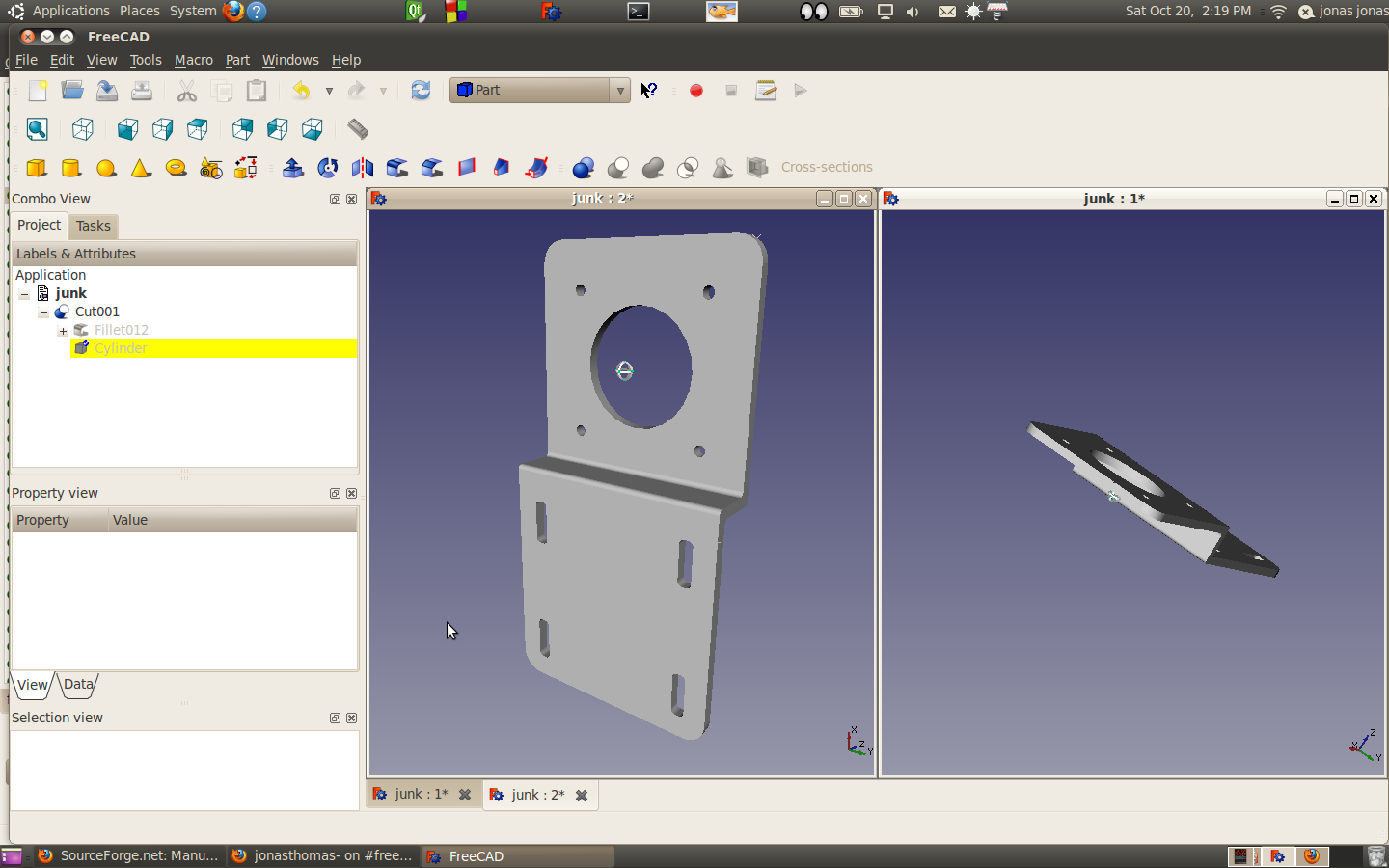 One of the things I had issues with was with the fillets. I didn’t realize that if I pressed ctrl and hold it down and move the mouse cursor over and objects, it highlights the objects. When you left click the mouse it locks down that object.
When you select fillet the object is automatically selected.
Another fun feature that I stumbled on is rotating the view. If you press and hold the left mouse button down and move the mouse, you will rotated the object. If you let go of the mouse button during the move the object continuous to rotate.
When it do this screeen shot the right view was rotating, which is pretty cool.
My plan is to work through the tutorial and work on my two front burner projects. I have an old sherline cnc mill that I’m improving and also I got my kickstarter extruders heads. I’m planning on making a repstrap from a radial arm saw which should be fun. I’m thinking it will be good practise to get this done in freecad.
I had been using a traditional mouse with my laptop, but finding a surface to get the mouse to move is a real pain.
For a variety of reasons we won’t get into here 😉 , I inherited the wife’s Logitech Marblemouse trackball. Out of the box I think that the trackball is in all senses superior to a regular mouse for use with a laptop, expect two..
Wireless would be nice.. (probably out there) and I really miss my middle scroll button on the mouse.
It took me a little bit of googling but I found this page that should do the trick for 10.04.. Hmmm I suppose I should get unto the next LTS but I can’t bring myself to go to unity.. https://wiki.ubuntu.com/Releases. I’m probably going to be one of those 11 hour holdouts.
On a side note.. I was perfectly ok with leaving 8.04… the audio issues really left a bad task in my mouth.
Anyway back to business. I just need some middle mouse scroll emulation here. Look at. this
https://help.ubuntu.com/community/Logitech_Marblemouse_USB what they call option #1 where pressing and holding the small left button will make the marble behave as a middle mouse button. I think I’ll give that a go and see if that works for me..
Ok.. lets see.
jonas@jonas-laptop:~$ # first things first need to figure out where:
jonas@jonas-laptop:~$ locate xorg.conf.d | grep d$
/usr/lib/X11/xorg.conf.d
jonas@jonas-laptop:~$ #is now change to the directory
jonas@jonas-laptop:~$ cd /usr/lib/X11/xorg.conf.d
jonas@jonas-laptop:/usr/lib/X11/xorg.conf.d$ # now create this file.. Need the sudo cause we're working in a protected directory
jonas@jonas-laptop:/usr/lib/X11/xorg.conf.d$ # Paste the configuration you want for the ref link
jonas@jonas-laptop:/usr/lib/X11/xorg.conf.d$ sudo gedit 50-marblemouse.conf
jonas@jonas-laptop:/usr/lib/X11/xorg.conf.d$ # see if we got it
jonas@jonas-laptop:/usr/lib/X11/xorg.conf.d$ ls
05-evdev.conf 10-synaptics.conf 10-vmmouse.conf 10-wacom.conf 50-marblemouse.conf
jonas@jonas-laptop:/usr/lib/X11/xorg.conf.d$ cat 50-marblemouse.conf
Section "InputClass"
Identifier "Marble Mouse"
MatchProduct "Logitech USB Trackball"
MatchIsPointer "on"
MatchDevicePath "/dev/input/event*"
Driver "evdev"
Option "ButtonMapping" "1 2 3 4 5 6 7 8 9"
Option "EmulateWheel" "true"
Option "EmulateWheelButton" "8"
Option "ZAxisMapping" "4 5"
Option "XAxisMapping" "6 7"
Option "Emulate3Buttons" "true"
EndSection
jonas@jonas-laptop:/usr/lib/X11/xorg.conf.d$
Well, just rebooted and fired up qt-creator which was really noticing the lack of middle scroll capability and it works…. Yeahhh… On a side note… What really makes this nice is not that I have side scroll as well. I thought at first I wouldn’t like that but at the moment it seems pretty cool..