Exploring zetcode wxwidget tutorial on Menus and Toolbars:A Simple Toolbar/

The rain in Spain falls mainly on the plain… By Jove he’s got it… My progress in the zetcode tutorial seems to have taken an uptick…. Let see if continues with my exploration of toolbars.
Short answer… No….
Up to now, every piece of tutorial code that I have tried as worked perfectly as described up to now.
In this particular instance, I’m suppose to be getting an image that’s supposed to look like this.

What I’m getting is a frame without the toolbar and some error message that appears in the terminal session:
Unfortunately, for some reason I can’t copy the text, I have to copy the image. Here it is:

So the error message is:
gdk_drawable_get_depth: assertion GDK_IS_DRAWABLE (drawable) failed
From a quick google search, apparently this happens quite often.  I think I Jinxed myself….. So much for the forward progress.

Ok then…. where to go….  Is the issue with Wxwidgets or GDK????.  Just a thought here… The tutorial mentioned that there was a different way to create a toolbar… If the problem, continues, than we’re going to have to come to a halt to figure out what’s going on.  So lets see if we try the next sample.
Just loading up the next sample and running I get this error:

11:41:52 AM: Can’t load image from file ‘exit.png’: file does not exist.
11:41:52 AM: Can’t load image from file ‘new.png’: file does not exist.
11:41:52 AM: Can’t load image from file ‘open.png’: file does not exist.
11:41:52 AM: Can’t load image from file ‘save.png’: file does not exist.

Ok… We’ll lets see what we have on my computer:

jonas@Ubuntu4://$ locate /exit.png
/usr/lib/qt4/demos/undo/icons/exit.png
/usr/lib/qt4/examples/network/torrent/icons/exit.png
/usr/share/childsplay/lib/PackidData/exit.png
/usr/share/codeblocks/images/16×16/exit.png
/usr/share/doc/qt4-doc/demos/undo/icons/exit.png
/usr/share/doc/qt4-doc/examples/network/torrent/icons/exit.png
/usr/share/doc/wx2.8-examples/examples/wxPython/bmp_source/exit.png
/usr/share/games/madbomber/images/title/exit.png
/usr/share/icons/Human/16×16/actions/exit.png
/usr/share/icons/Human/24×24/actions/exit.png
/usr/share/icons/gnome/16×16/actions/exit.png
/usr/share/icons/gnome/22×22/actions/exit.png
/usr/share/icons/gnome/24×24/actions/exit.png
/usr/share/icons/gnome/32×32/actions/exit.png
jonas@Ubuntu4://$ locate /new.png
/usr/lib/qt4/examples/mainwindows/application/images/new.png
/usr/lib/qt4/examples/mainwindows/dockwidgets/images/new.png
/usr/lib/qt4/examples/mainwindows/mdi/images/new.png
/usr/lib/qt4/examples/mainwindows/sdi/images/new.png
/usr/share/doc/qt4-doc/examples/mainwindows/application/images/new.png
/usr/share/doc/qt4-doc/examples/mainwindows/dockwidgets/images/new.png
/usr/share/doc/qt4-doc/examples/mainwindows/mdi/images/new.png
/usr/share/doc/qt4-doc/examples/mainwindows/sdi/images/new.png
/usr/share/wxformbuilder/resources/icons/new.png
jonas@Ubuntu4://$ locate /open.png
/usr/lib/qt4/examples/assistant/simpletextviewer/documentation/images/open.png
/usr/lib/qt4/examples/help/simpletextviewer/documentation/images/open.png
/usr/lib/qt4/examples/mainwindows/application/images/open.png
/usr/lib/qt4/examples/mainwindows/mdi/images/open.png
/usr/lib/qt4/examples/mainwindows/sdi/images/open.png
/usr/lib/qt4/examples/widgets/movie/images/open.png
/usr/share/doc/qt4-doc/examples/assistant/simpletextviewer/documentation/images/open.png
/usr/share/doc/qt4-doc/examples/mainwindows/application/images/open.png
/usr/share/doc/qt4-doc/examples/mainwindows/mdi/images/open.png
/usr/share/doc/qt4-doc/examples/mainwindows/sdi/images/open.png
/usr/share/doc/qt4-doc/examples/widgets/movie/images/open.png
/usr/share/emacs/22.1/etc/tree-widget/default/open.png
/usr/share/emacs/22.1/etc/tree-widget/folder/open.png
/usr/share/wxformbuilder/resources/icons/open.png
jonas@Ubuntu4://$ locate /save.png
/usr/lib/qt4/examples/mainwindows/application/images/save.png
/usr/lib/qt4/examples/mainwindows/dockwidgets/images/save.png
/usr/lib/qt4/examples/mainwindows/mdi/images/save.png
/usr/lib/qt4/examples/mainwindows/sdi/images/save.png
/usr/share/doc/qt4-doc/examples/mainwindows/application/images/save.png
/usr/share/doc/qt4-doc/examples/mainwindows/dockwidgets/images/save.png
/usr/share/doc/qt4-doc/examples/mainwindows/mdi/images/save.png
/usr/share/doc/qt4-doc/examples/mainwindows/sdi/images/save.png
/usr/share/wxformbuilder/resources/icons/save.png
jonas@Ubuntu4://$

Ok…. I pasted in the path and it seemed to work…. Ok… I wonder if I past a valid path in “A Simple Toobar” to see if it goes away also….. and the answer is yepp…. That was easy….

‘Ok… I guess I’ll paste “/usr/share/icons/Human/16×16/actions/exit.png” to see what happens..
Hmmm… Seem to work on one. I guess I’ll paste the rest to see what happens. Ok… That worked…

I suppose that begs the question, if I was making a cross-platform application for distribution, how the heck would I program this?? That is a todo for another day, when I’m in that situation.

Ok…. So back to a Simple Toolbar….
With my little adjustment here’s the code with references to things I never seen before.

#include “toolbar.h”

Toolbar::Toolbar(const wxString& title)
: wxFrame(NULL, wxID_ANY, title, wxDefaultPosition, wxSize(280, 180))
{
//  wxBitmap exit(wxT(“exit.png”));
wxBitmap exit(wxT(“/usr/share/icons/gnome/32×32/actions/exit.png”));// this is what I added

wxToolBar *toolbar = CreateToolBar();
toolbar->AddTool(wxID_EXIT, exit, wxT(“Exit application”));
toolbar->Realize();

Connect(wxID_EXIT, wxEVT_COMMAND_TOOL_CLICKED,
wxCommandEventHandler(Toolbar::OnQuit));

Centre();

}

void Toolbar::OnQuit(wxCommandEvent& WXUNUSED(event))
{
Close(true);
}

Ok.. I’m getting the rhythm of this….On to the tutorial “toolbars”…

Same deal, I made a couple of modifications and I hyperlinked what was unfamiliar to me.

#include “toolbars.h”

Toolbar::Toolbar(const wxString& title)
: wxFrame(NULL, wxID_ANY, title, wxDefaultPosition, wxSize(280, 180))
{

wxImage::AddHandler( new wxPNGHandler );

wxBitmap exit(wxT(“/usr/share/icons/Human/16×16/actions/exit.png”), wxBITMAP_TYPE_PNG);
wxBitmap newb(wxT(“/usr/share/wxformbuilder/resources/icons/new.png”), wxBITMAP_TYPE_PNG);
wxBitmap open(wxT(“/usr/share/wxformbuilder/resources/icons/open.png”), wxBITMAP_TYPE_PNG);
wxBitmap save(wxT(“/usr/share/wxformbuilder/resources/icons/save.png”), wxBITMAP_TYPE_PNG);

wxBoxSizer *vbox = new wxBoxSizer(wxVERTICAL);

toolbar1 = new wxToolBar(this, wxID_ANY);
toolbar1->AddTool(wxID_ANY, newb, wxT(“”));
toolbar1->AddTool(wxID_ANY, open, wxT(“”));
toolbar1->AddTool(wxID_ANY, save, wxT(“”));
toolbar1->Realize();

toolbar2 = new wxToolBar(this, wxID_ANY);
toolbar2->AddTool(wxID_EXIT, exit, wxT(“Exit application”));
toolbar2->Realize();

vbox->Add(toolbar1, 0, wxEXPAND);
vbox->Add(toolbar2, 0, wxEXPAND);

SetSizer(vbox);

Connect(wxID_EXIT, wxEVT_COMMAND_TOOL_CLICKED,
wxCommandEventHandler(Toolbar::OnQuit));

Centre();
}

void Toolbar::OnQuit(wxCommandEvent& WXUNUSED(event))
{
Close(true);
}

Ok… Enough on that one… Hot darn through another chapter. . On to layout management

Posted in Uncategorized | Leave a comment

Exploring zetcode wxwidget tutorial on Menus and Toolbars:Simple Menu Example

#include “menu.h”

SimpleMenu::SimpleMenu(const wxString& title)
: wxFrame(NULL, wxID_ANY, title, wxDefaultPosition, wxSize(280, 180))
{

menubar = new wxMenuBar;
file = new wxMenu;
file1 = new wxMenu;
file->Append(wxID_EXIT,wxT(“&Hasta La Vista Baby”));
menubar->Append(file, wxT(“&File”));

menubar->Append(file1 , wxT(“&Something new”));
file1->Append(ID_JT_TEST,wxT(“&Test”));

//const int ID_JT_TEST = 101;
//const int ID_JT_HELLO = 102;
//const int ID_JT_BLAH_BLAH = 103;

SetMenuBar(menubar);

Connect(wxID_EXIT, wxEVT_COMMAND_MENU_SELECTED,
wxCommandEventHandler(SimpleMenu::OnQuit));
Centre();

}

void SimpleMenu::OnQuit(wxCommandEvent& WXUNUSED(event))
{
Close(true);
}It seemed like I was in zetcode tutorial chapter First Programs for a while.  There was a lot of interesting stuff in there.  Next on the list is Menus and Toolbars. I was browsing through hard copy yesterday and I think this should go fairly quickly….

I really like this zetcode/wxwidgets tutorial insofar as everything works.
I want to work my way through this tutorial. So I’m going to attempt to speed things up here.. We’ll see what happens.
Main point.

To implement a menubar in wxWidgets we need to have three things. A wxMenuBar, a wxMenu and a wxMenuItem.

Got that….
I’m looking at menu.cpp and just looking at some of the documentation real quick to see if I want to try some experiments:

#include “menu.h”

SimpleMenu::SimpleMenu(const wxString& title)
: wxFrame(NULL, wxID_ANY, title, wxDefaultPosition, wxSize(280, 180))
{

menubar = new wxMenuBar;
file = new wxMenu;
file->Append(wxID_EXIT, wxT(“&Quit”));
menubar->Append(file, wxT(“&File”));
SetMenuBar(menubar);

Connect(wxID_EXIT, wxEVT_COMMAND_MENU_SELECTED,
wxCommandEventHandler(SimpleMenu::OnQuit));
Centre();

}

void SimpleMenu::OnQuit(wxCommandEvent& WXUNUSED(event))
{
Close(true);
}

Menu items gets explored in the next tutorial, so I’m not going to mess with that..  I suppose I should add a things to the menu to make sure that the way I thinks this works actually is the way it works.
Hear’s a couple of things I experimented with:

//file->Append(wxID_EXIT, wxT(“&Quit”));
file->Append(wxID_EXIT);

In Linux anyway, there is no change in behavior.. You done need to add the wxT(“Quit”)
Now lets try this.

//file->Append(wxID_EXIT, wxT(“&Quit”));
file->Append(wxID_EXIT,wxT(“&Hasta La Vista Baby”));

Ok… Now this is interesting(I’m easily entertained:)). This behavior is not consistent with the behavior or wxbuttons. Actually I like this better.
With the buttons, if you tried this you would loose the icon. Here you don’t. The Hot Key &H worked, but there is a short apparent coming from the wxID_EXIT for the CTRL + Q shortcut..
Ok… the next logical experiment is to figure out how to change the short cut and see if we loose the icon.
But… Looking at the documentation I saw this:

NB: Please note that wxID_ABOUT and wxID_EXIT are predefined by wxWidgets and have a special meaning since entries using these IDs will be taken out of the normal menus under MacOS X and will be inserted into the system menu (following the appropriate MacOS X interface guideline). On PalmOS wxID_EXIT is disabled according to Palm OS Companion guidelines.

I’m not sure if what I’m seeing here is generalized behavior or something that’s special case. So while this is interestings it’s not that interestings so I’m moving on.

(On a side note. I gave myself a todo that I don’t want to deal with at the moment. Apparently, if a pulldown menu is active I can’t do a screen print. Obviously, there’s a trick I just don’t know it at the moment).

My next experiment was to add a item to the menubar and item under the sub-item….

The following will not give the desired result:
#include “menu.h”

SimpleMenu::SimpleMenu(const wxString& title)
: wxFrame(NULL, wxID_ANY, title, wxDefaultPosition, wxSize(280, 180))
{

menubar = new wxMenuBar;
file = new wxMenu;
file->Append(wxID_EXIT,wxT(“&Hasta La Vista Baby”));
menubar->Append(file, wxT(“&File”));

menubar->Append(file, wxT(“&Something new”));
file->Append(ID_JT_TEST,wxT(“&Test”));

//const int ID_JT_TEST = 101;
//const int ID_JT_HELLO = 102;
//const int ID_JT_BLAH_BLAH = 103;

SetMenuBar(menubar);

Connect(wxID_EXIT, wxEVT_COMMAND_MENU_SELECTED,
wxCommandEventHandler(SimpleMenu::OnQuit));
Centre();

}

void SimpleMenu::OnQuit(wxCommandEvent& WXUNUSED(event))
{
Close(true);
}

What happens is that “Hasta La Vista Baby” and “Test” are duplicated under “File” and “Something new”.
Hmm… That’s sort of weird.. I guess need to jump ahead to the next tutorial to figure out what to do…
Back in a minute?
Ok… This gets me the desired result:

#include “menu.h”

SimpleMenu::SimpleMenu(const wxString& title)
: wxFrame(NULL, wxID_ANY, title, wxDefaultPosition, wxSize(280, 180))
{

menubar = new wxMenuBar;
file = new wxMenu;
file1 = new wxMenu;
file->Append(wxID_EXIT,wxT(“&Hasta La Vista Baby”));
menubar->Append(file, wxT(“&File”));

menubar->Append(file1 , wxT(“&Something new”));
file1->Append(ID_JT_TEST,wxT(“&Test”));

//const int ID_JT_TEST = 101;
//const int ID_JT_HELLO = 102;
//const int ID_JT_BLAH_BLAH = 103;

SetMenuBar(menubar);

Connect(wxID_EXIT, wxEVT_COMMAND_MENU_SELECTED,
wxCommandEventHandler(SimpleMenu::OnQuit));
Centre();

}

void SimpleMenu::OnQuit(wxCommandEvent& WXUNUSED(event))
{
Close(true);
}

Well, I sucked out as much as I’m going to in this sample… Onwards to submenus

Posted in Uncategorized | Leave a comment

Exploring zetcode wxwidget tutorial on Menus and Toolbars:Submenus

The I’m exploring here I got from the most excellent zetcode tutorial here.
This is actually starting to move faster now… I went through the example titled submenus..
The after going through the tutorial I had this question: Can you go beyond 3 levels. I messed around a little with menu.cpp/menu.h and found you can..

#include “menu.h”

SubMenu::SubMenu(const wxString& title)
: wxFrame(NULL, wxID_ANY, title, wxDefaultPosition, wxSize(280, 180))
{

menubar = new wxMenuBar;
file = new wxMenu;

//  file->Append(wxID_ANY, wxT(“&New”));
//  file->Append(wxID_ANY, wxT(“&Open”));
//  file->Append(wxID_ANY, wxT(“&Save”));

file->Append(wxID_NEW );
file->Append(wxID_OPEN);
file->Append(wxID_SAVE);

file->AppendSeparator();

imp = new wxMenu;
imp->Append(wxID_ANY, wxT(“Import newsfeed list…”));
imp->Append(wxID_ANY, wxT(“Import bookmarks…”));
imp->Append(wxID_ANY, wxT(“Import mail…”));

file->AppendSubMenu(imp, wxT(“I&mport”));

//See if we can keep going deeper
keepgoingtest = new wxMenu;
keepgoingtest->Append(ID_TESTTHIS,wxT(“Keep going”));
keepgoingtest->Append(wxID_ANY,wxT(“More Keep going”));
keepgoingtest->AppendSeparator();
keepgoingtest->Append(wxID_ANY,wxT(“Even More Keep going”));
keepgoingtest->Append(wxID_ANY,wxT(“Blah Blah and more Blah”));

imp->AppendSubMenu(keepgoingtest,wxT(“See if this works”));

//ID_TESTTHIS

quit = new wxMenuItem(file, wxID_EXIT, wxT(“&Quit\tCtrl+W”));
file->Append(quit);

menubar->Append(file, wxT(“&File”));
SetMenuBar(menubar);

Connect(wxID_EXIT, wxEVT_COMMAND_MENU_SELECTED,
wxCommandEventHandler(SubMenu::OnQuit));
Centre();

}

void SubMenu::OnQuit(wxCommandEvent& WXUNUSED(event))
{
Close(true);
}

Posted in Uncategorized | Leave a comment

(Part 2) Exploring wxwidgets using zetcode’s tutorial “Widgets communicate” and Code::blocks

Ok.. Part 1 was me playing around… Now I’m need to figure out the meat and potatoes of this particular tutorial..
Looking at the header files
communicate.h

#include “Panels.h”
#include <wx/wxprec.h>

class Communicate : public wxFrame
{
public:
Communicate(const wxString& title);

LeftPanel *m_lp;
RightPanel *m_rp;
wxPanel *m_parent;

};

Panels.h

#include <wx/wx.h>
#include <wx/panel.h>
#include <wx/wx.h>
#include <wx/panel.h>

class LeftPanel : public wxPanel
{
public:
LeftPanel(wxPanel *parent);

void OnPlus(wxCommandEvent & event);
void OnMinus(wxCommandEvent & event);

wxButton *m_plus;
wxButton *m_minus;
wxPanel *m_parent;
int count;

};

class RightPanel : public wxPanel
{
public:
RightPanel(wxPanel *parent);

void OnSetText(wxCommandEvent & event);

wxStaticText *m_text;

};

const int ID_PLUS = 101;
const int ID_MINUS = 102;

class LeftPanel : public wxPanel
{
public:
LeftPanel(wxPanel *parent);

void OnPlus(wxCommandEvent & event);
void OnMinus(wxCommandEvent & event);

wxButton *m_plus;
wxButton *m_minus;
wxPanel *m_parent;
int count;

};

class RightPanel : public wxPanel
{
public:
RightPanel(wxPanel *parent);

void OnSetText(wxCommandEvent & event);

wxStaticText *m_text;

};

Ok.. Now the click + event calls the following code :

void LeftPanel::OnPlus(wxCommandEvent & WXUNUSED(event))
{
count++;

communicate *comm = (Communicate *) m_parent->GetParent();

comm->m_rp->m_text->SetLabel(wxString::Format(wxT(“%d”), count));

}

Ok… I”m going to need to digest this one..  I think there is some sort of type casting going one here.  Communicate inherited wxframe which inherited wxwindows so that where the GetParent() came from.
Todo.. Need to get better understanding and elaborate.

Posted in Uncategorized | Leave a comment

(Part 1) Exploring wxwidgets using zetcode’s tutorial “Widgets communicate” and Code::blocks

So…
I’ve spent a couple of weeks learning about Code::blocks,  wxwidgets and the like and I’ve have found zetcodes tutorial very helpful…  It has some nice basic code, that I can tear apart and explore..

Anyway, the next in example zetcode’s wxwidget tutorial is titled “Widgets communicate”.  Basically, its a “+” and a “-” button either increment and decrement a label.

I feel I need to run through this tutorial to create a baseline of understand on how this stuff works, but this I gotta say… if I was  to implement an equivalent vb6 program,  I could have it done in under 3 minutes… I’m probably going to wind up spending days on this..  I keep telling myself, sometimes you need to slow down before you start speeding up.

Ok… So onwards… I’m almost through the section first programs:
So lets see if I can create a new code::block project, copy over the code and get it running with out consulting my prior notes in the blog….
I’m back it’s 6:06Am the house is quiet…. Back when its running….
I’m back… 6:15Am.  I got the project copied over to Code::blocks and Build and run in 9 minutes….
I got myself a little hung up setting up wxconfig in the C:B’s build options…

Now time to go through the code to find something that I don’t understand yet..
So… the basic output looks like this (btw… I guess you can tell I”ve been playing around with the Gimp…)

I still not exactly what I’m looking for but, I’m getting there…
Back to task at hand…
One of the things that caught my eye was the user defined constants for the event specifiers in panels.h

const int ID_PLUS = 101;
const int ID_MINUS = 102;

I’ve come to the conclusion that basically anything goes with these things and your on your own as far as making sure you don’t inadvertently duplicate something.  C:B/ the compiler won’t necessarily detect that you did something really stupid. I think my test in my previous post shows that….

My first exploration of this code is not so much wxwidgets as far as it is C++.  Panels.h basically has a left and write panel defined.  The right panel has something new as far a wxwidgets so I’m going to focus on that later…  Anyway…
Here is the declaration of the LeftPanel in Panels.h:

#include <wx/wx.h>
#include <wx/panel.h>

class LeftPanel : public wxPanel
{
public:
LeftPanel(wxPanel *parent);

void OnPlus(wxCommandEvent & event);
void OnMinus(wxCommandEvent & event);

wxButton *m_plus;
wxButton *m_minus;
wxPanel *m_parent;
int count;

};

So the way this works is that you have a Wxframe which has a WxPanel inside it which has a WxButton’s within it.  Oddly enough… Look at this class declaration, I am not confused….
Cool….

Ok… Now I need to look at the Class declaration for the right panel..

{
public:
RightPanel(wxPanel *parent);

void OnSetText(wxCommandEvent & event);

wxStaticText *m_text;

};

Now this WxStaticText is something new for me. The tool tips on the IDE is not picking this up for some reason so I guess I need to research this a little further..
According to the docs:

A static text control displays one or more lines of read-only text.

In VB6 speak aka a “label”.
Todo: need to ask the question why this isn’t hightlighting in code::blocks tool tips.

So… Other than being new, I get everything here. I guess the next logical step is to see how these to class are put assembled into a frame. The declaration for that occurs in Communicate.h
Let us see what we have there:

#include “Panels.h”
#include <wx/wxprec.h>

class Communicate : public wxFrame
{
public:
Communicate(const wxString& title);

LeftPanel *m_lp;
RightPanel *m_rp;
wxPanel *m_parent;

};

So… We define a class Communicate which inherits a wxFrame. The LeftPanel, Rightpanel pointers are declared along with wxPanel *m_parent. At this point I don’t understand what wxPane *m_parent does… in communicate.h.  I suppose I should comment it out and see what happens..

Oh… I guess I need that…

#include “Communicate.h”

Communicate::Communicate(const wxString& title)
: wxFrame(NULL, wxID_ANY, title, wxDefaultPosition, wxSize(290, 150))
{
m_parent = new wxPanel(this, wxID_ANY);

wxBoxSizer *hbox = new wxBoxSizer(wxHORIZONTAL);

m_lp = new LeftPanel(m_parent);
m_rp = new RightPanel(m_parent);

hbox->Add(m_lp, 1, wxEXPAND | wxALL, 5);
hbox->Add(m_rp, 1, wxEXPAND | wxALL, 5);

m_parent->SetSizer(hbox);

this->Centre();
}

What it looks like to me is that we’re putting the two panels within another panel and then have a class called wxBoxSizer.  The h-box->Add methods seems to be inherited from wxSizer

If believe this is the correct function:
wxSizerItem* Add(wxWindow* window, int proportion = 0,int flag = 0, int border = 0, wxObject* userData = NULL)
Add:

Appends a child to the sizer. wxSizer itself is an abstract class, but the parameters are equivalent in the derived classes that you will instantiate to use it so they are described here:

I guess in this instance we have proportion =1 makes the box stretchable with the box sizer and the border = 5  is apparently just the width.  (I going to have to juice one of these up to see what happens.)
Ok… I suppose we should show what main.cpp looks like.  I’ve been wanting to make something disappear.. I figured out how to do that..

#include “main.h”
#include “Communicate.h”

IMPLEMENT_APP(MyApp)

bool MyApp::OnInit()
{

Communicate *communicate = new Communicate(wxT(“Widgets communicate”));
communicate->Show(true);
communicate->m_lp->m_minus->Show(false) // I added this for fun
return true;

Ok… that’s all well and good but the main point of this “Widgets communcation” tutorial was …..
So… I think I do that in part two..

Posted in Uncategorized | Leave a comment

(Part 4 Connect)cont’d Todo’s seeing what happens if you duplicate an event specifier

This morning was correcting some typo’s in my previous post and ran past the todo’s I gave myself. One of them was to see what happens when I duplicate an event specifier.

My strategy is to play around with buttons working having the same event specifiers in the same panel and see what happens.

Btw… I just ran across something in code::blocks that I should have been aware of.
Apparently, if you setfocus with the mouse going over class’s or constants a tooltip pops up. Right clicking at this point will give you menu for all kinds of interesting information information.
For example, when I swept over WXID_EXIT and right clicked on “Find declaration of: ‘wxID_EXIT'” it automatically opened defs.h This gave access to this:

/* Standard button and menu IDs */
wxID_OK = 5100,
wxID_CANCEL,
wxID_APPLY,
wxID_YES,
wxID_NO,
wxID_STATIC,
wxID_FORWARD,
wxID_BACKWARD,
wxID_DEFAULT,
wxID_MORE,
wxID_SETUP,
wxID_RESET,
wxID_CONTEXT_HELP,
wxID_YESTOALL,
wxID_NOTOALL,
wxID_ABORT,
wxID_RETRY,
wxID_IGNORE,
wxID_ADD,
wxID_REMOVE,

wxID_UP,
wxID_DOWN,
wxID_HOME,
wxID_REFRESH,
wxID_STOP,
wxID_INDEX,

wxID_BOLD,
wxID_ITALIC,
wxID_JUSTIFY_CENTER,
wxID_JUSTIFY_FILL,
wxID_JUSTIFY_RIGHT,
wxID_JUSTIFY_LEFT,
wxID_UNDERLINE,
wxID_INDENT,
wxID_UNINDENT,
wxID_ZOOM_100,
wxID_ZOOM_FIT,
wxID_ZOOM_IN,
wxID_ZOOM_OUT,
wxID_UNDELETE,
wxID_REVERT_TO_SAVED,

Experiment #1
Anyway… my first test was to add the following code in bold to button.cpp

#include “button.h”

Button::Button(const wxString& title)
: wxFrame(NULL, wxID_ANY, title, wxDefaultPosition, wxSize(270, 150))
{
wxPanel *panel = new wxPanel(this, wxID_ANY);
wxButton *button = new wxButton(panel, wxID_EXIT, wxT(“Quit”),
wxPoint(60, 40));

wxButton *button1 = new wxButton(panel, wxID_EXIT, wxT(“Quit”),
wxPoint(60, 100));
Connect(wxID_EXIT, wxEVT_COMMAND_BUTTON_CLICKED,
wxCommandEventHandler(Button::OnQuit));
button->SetFocus();
Centre();
}
void Button::OnQuit(wxCommandEvent & WXUNUSED(event))
{
Close(true);
}

This ran, showed two buttons and have the following compiler warning:

/home/jonas/projects/zedcode_tutorials/SimpleButton/button.cpp||In constructor ‘Button::Button(const wxString&)’:|
/home/jonas/projects/zedcode_tutorials/SimpleButton/button.cpp|11|warning: unused variable ‘button1’|
||=== Build finished: 0 errors, 1 warnings ===|

This works for me.  Btw… Either button responded to OnQuit, which seems reasonable.

Experiment #2

This time I want to setup setup two seperate event specifiers, get them working and the change them to the same event specifier to see what happens.
Ok… this works.

#include “button.h”

Button::Button(const wxString& title)
: wxFrame(NULL, wxID_ANY, title, wxDefaultPosition, wxSize(270, 150))
{
wxPanel *panel = new wxPanel(this, wxID_ANY);
wxButton *button = new wxButton(panel, wxID_EXIT, wxT(“Quit”),
wxPoint(60, 40));

wxButton *button1 = new wxButton(panel, wxID_OK, wxT(“OK”),
wxPoint(60, 100));

Connect(wxID_EXIT, wxEVT_COMMAND_BUTTON_CLICKED,
wxCommandEventHandler(Button::OnQuit));
button->SetFocus();

Connect(wxID_OK, wxEVT_COMMAND_BUTTON_CLICKED,
wxCommandEventHandler(Button::OnOk));
button1->SetFocus();

Centre();
}

void Button::OnQuit(wxCommandEvent & WXUNUSED(event))
{
Close(true);
}
void Button::OnOk(wxCommandEvent & WXUNUSED(event))
{

Close(true);
}

Yikes…. this works also with no complaints from the compiler.

#include “button.h”

Button::Button(const wxString& title)
: wxFrame(NULL, wxID_ANY, title, wxDefaultPosition, wxSize(270, 150))
{
wxPanel *panel = new wxPanel(this, wxID_ANY);
wxButton *button = new wxButton(panel, wxID_EXIT, wxT(“Quit”),
wxPoint(60, 40));

wxButton *button1 = new wxButton(panel, wxID_EXIT, wxT(“OK”),
wxPoint(60, 100));

Connect(wxID_EXIT, wxEVT_COMMAND_BUTTON_CLICKED,
wxCommandEventHandler(Button::OnQuit));
button->SetFocus();

Connect(wxID_OK, wxEVT_COMMAND_BUTTON_CLICKED,
wxCommandEventHandler(Button::OnOk));
button1->SetFocus();
Centre();
}

void Button::OnQuit(wxCommandEvent & WXUNUSED(event))
{
Close(true);
}
void Button::OnOk(wxCommandEvent & WXUNUSED(event))
{

Close(true);
}

This I guess this is good to know. I was getting confused because I was trying to frame this within a vb6 context. You know if duplicated a name in a control it would squawk about that and ask you meant to set up a control array.
This is very different. Oddly enough, I’m feeling less confused which is good.
The other items of my things to play around was to have a simple button and have it connected to mouse movements, etc… I think I’m going to hold off on that one for now.. Till I get a little further along in the tutorial..

Posted in Uncategorized | Leave a comment

(Part 4 Connect) Exploring wxWidgets using zetcode’s “A simple button” and Code::Blocks.

I’ve been line by line through zetcode tutorial titled “A Simple button” using the IDE C::B Code::Blocks.
http://zetcode.com/tutorials/wxwidgetstutorial/firstprograms/
This tutorial produces some output that looks like this:

The source looks like this:

#include “button.h”

Button::Button(const wxString& title)
: wxFrame(NULL, wxID_ANY, title, wxDefaultPosition, wxSize(270, 150))
{
wxPanel *panel = new wxPanel(this, wxID_ANY);

wxButton *button = new wxButton(panel, wxID_EXIT, wxT(“Quit”),
wxPoint(20, 20));
Connect(wxID_EXIT, wxEVT_COMMAND_BUTTON_CLICKED,
wxCommandEventHandler(Button::OnQuit));

button->SetFocus();
Centre();
}

void Button::OnQuit(wxCommandEvent & WXUNUSED(event))
{
Close(true);
}

This is the section for me is the mostly new and  unfamiliar , but I also expect the most useful in the exploration of this tutorial..
Regarding this:

Connect(wxID_EXIT, wxEVT_COMMAND_BUTTON_CLICKED,
wxCommandEventHandler(Button::OnQuit));

The tutorial has that to say about that:

If we click on the button, a wxEVT_COMMAND_BUTTON_CLICKED event is generated. We connect the event to the OnQuit() method of the Button class. So when we click on the button, the OnQuit() method is called.

Ok… It’s enough to get your curiosity peeked but for me, I want to know a whole more about what the heck is going on here. When I understand this part, I think the rest will be easy.

My selection of research reading material starts here:http://wiki.wxwidgets.org/Events

This link also points to the following which looks interesting:
http://docs.wxwidgets.org/trunk/overview_eventhandling.html

http://wiki.wxwidgets.org/Example_Of_Using_Connect_For_Events

http://wiki.wxwidgets.org/Using_Connect_To_Add_Events_To_An_Existing_Class

http://wiki.wxwidgets.org/Custom_Events

Ehhh.  A little light reading here.  😉

Ok… For some reason I was drawn like a moth to this link… (Must have been the font)
http://docs.wxwidgets.org/trunk/overview_eventhandling.html
So… two ways of hand of handling events:

Ok… I get the impression that you either do one style or the other.  The Connect() method appears to be what is used in this tutorial and if I’m not mistaken it is also used in wxformbuilder. So for now, I’m not going to confuse my brain, I’m just going to focus on Dynamic Event Handling.

Yea.. I’m having a some unsual quite time along with a beer at the moment. The family is out with the mother in law and the house is quite.  Shame its the end of the day because I’m sort of tired at the moment and this stuff is not sinking in… But… I’m giving it a go …
I wound up having about a dozen tabs open and lost track of what is looking for….
I need to narrow the scope and focus on the tutorial here..

Sample Code Member function
Connect(wxID_EXIT void wxEvtHandler::Connect ( int id,
wxEVT_COMMAND_BUTTON_CLICKED, wxEventType eventType,
wxCommandEventHandler(Button::OnQuit)); wxObjectEventFunction function,
wxObject * function,
wxObjectEventFunction eventSink = NULL
)

wxID_EXIT

Ok… Now its the morning perhaps things will be more clear.
The usage of this wxID_EXIT is most curious to me.. In one of the links, I was researching I found a most satisfactory explanation… Lets see if I can stumble on it again..
It’s here
I believe the section that sort explains this is titled: Window Identifiers.
I’m having a particularitly hard time with this for some reason…
This pretty much explain’s it:

Window identifiers are integers, and are used to uniquely determine window identity in the event system (though you can use it for other purposes). In fact, identifiers do not need to be unique across your entire application as long they are unique within the particular context you’re interested in, such as a frame and its children. You may use the wxID_OK identifier, for example, on any number of dialogs as long as you don’t have several within the same dialog.

From what I’ve seen so far you can have pretty icons automatically show up on buttons if you use the Standard event identifiers.

If you don’t care about the indentifier you can use xID_ANY which will generate a negative integer value so conflict the always positive user-specified identifiers.

Hmmm. The don’t really say what happens if you do have a duplication.  (Todo:I need to test that latter on and see what happens..

wxEVT_COMMAND_BUTTON_CLICKED

This seems straight forward enough. We’re connecting a unique identifier for a button with some type of action.  I’m interested in see the type of actions that we can connect up to… And the list is here.  Todo: I want to have a simple button and see what it takes to produce mouse move events, lost focus events…. basically the array of stuff that I take for granted in VB6.

wxCommandEventHandler(Button::OnQuit));

I’m not finding the documentation to my liking about this wxCommandEventHandler. I wound about surfing a little bit and I ran across this site which seems to have people who seem to know wxwidgets far better than I do.. I need to look at this further.

http://wxwidgets.blogspot.com/2007/01/in-praise-of-connect.html

Posted in C++, Uncategorized | Leave a comment

(Part 3 wxButton) Exploring wxWidgets using zetcode’s “A simple button” and Code::Blocks.

I’ve been line by line through zetcode tutorial titled “A Simple button” using the IDE C::B Code::Blocks.
http://zetcode.com/tutorials/wxwidgetstutorial/firstprograms/
This tutorial produces some output that looks like this:

The source looks like this:

#include “button.h”

Button::Button(const wxString& title)
: wxFrame(NULL, wxID_ANY, title, wxDefaultPosition, wxSize(270, 150))
{
wxPanel *panel = new wxPanel(this, wxID_ANY);

wxButton *button = new wxButton(panel, wxID_EXIT, wxT(“Quit”),
wxPoint(20, 20));

Connect(wxID_EXIT, wxEVT_COMMAND_BUTTON_CLICKED,
wxCommandEventHandler(Button::OnQuit));
button->SetFocus();
Centre();
}

void Button::OnQuit(wxCommandEvent & WXUNUSED(event))
{
Close(true);
}

Information on wxButton can be found here: http://docs.wxwidgets.org/stable/wx_wxbutton.html#wxbutton

Here are some interesting tidbits:

A button is a control that contains a text string, and is one of the most common elements of a GUI. It may be placed on a dialog box or panel, or indeed almost any other window.

Derived from

wxControl
wxWindow
wxEvtHandler
wxObject

Include files

<wx/button.h>

Ok… that seems straight forward enough..
Comparing the tutorial code to the default contructor from the manual:
Code:

wxButton *button = new wxButton(panel, wxID_EXIT, wxT(“Quit”),
wxPoint(20, 20));

Manual:

Default constructor.

wxButton(wxWindow* parent, wxWindowID id, const wxString& label = wxEmptyString, const wxPoint& pos = wxDefaultPosition, const wxSize& size = wxDefaultSize, long style = 0, const wxValidator& validator = wxDefaultValidator, const wxString& name = “button”)

Constructor, creating and showing a button.

The preferred way to create standard buttons is to use default value of label. If no label is supplied and id is one of standard IDs from this list, standard label will be used. In addition to that, the button will be decorated with stock icons under GTK+ 2.

This one is starting to get a little more intense for me. I need to lay out the tutorial code side by side to see if it makes more sense to me

wxButton

wxWindow* parent, panel
wxWindowID id, wxID_EXIT
const wxString& label = wxEmptyString, wxT(“Quit”)
const wxPoint& pos = wxDefaultPosition wxPoint(20, 20)
const wxSize& size = wxDefaultSize
long style = 0
const wxValidator& validator = wxDefaultValidator ??
const wxString& name = “button”) ??

Lets see…
It appears to use a button:

  • Needs to be on a panel or dialog.
  • You can get different little standard icons to Pop up by specifying by using one of standard IDs from this list (Although doing that I’d have to change a other things further downstream in this example)
  • To specify a label for the button the wxT was used here.  Although there is a some predefined values that can also be used from this list

Ok… Time for a couple of experiments… on this code.

I get the impression from this list that using wxID_EXIT some how automatically populates with a “stock label”.  This should be easy enough to test.

(Test 1)
Change:
wxButton *button = new wxButton(panel, wxID_EXIT, wxT(“Quit”),
wxPoint(20, 20));

To:
wxButton *button = new wxButton(panel, wxID_EXIT,,wxPoint(20, 20));

Result:

/home/jonas/projects/zedcode_tutorials/SimpleButton/button.cpp||In constructor ‘Button::Button(const wxString&)’:|
/home/jonas/projects/zedcode_tutorials/SimpleButton/button.cpp|9|error: expected primary-expression before ‘,’ token|
||=== Build finished: 1 errors, 0 warnings ===|

(Test 1.1)

wxButton *button = new wxButton(panel, wxID_EXIT);

Result:

Test 1.2)

wxButton *button = new wxButton(panel, wxID_EXIT, wxT(“Hasta La Vista”));

Result:

Comment:
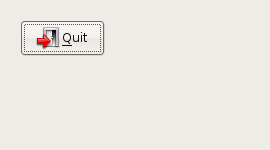
This result was  unexpected. I thought that I would see the exit door icon since I used the wxID_EXIT. Gotta say Hmmmm.

(Test 2)

wxButton *button = new wxButton(panel, wxID_EXIT, wxT(“Quit”),
wxPoint(60, 40));

Result:

I know there are a bunch of other parameters to explore, but for now I just want to get through this tutorial.

Posted in Uncategorized | 1 Comment

(Part 2 wxPanel)Exploring wxwidgets using zetcode’s “A simple button” and Code::Blocks

I’ve been line by line through zetcode tutorial titled “A Simple button” using the IDE C::B Code::Blocks.
http://zetcode.com/tutorials/wxwidgetstutorial/firstprograms/
This tutorial produces some output that looks like this:

The source looks like this:

#include “button.h”

Button::Button(const wxString& title)
: wxFrame(NULL, wxID_ANY, title, wxDefaultPosition, wxSize(270, 150))
{
wxPanel *panel = new wxPanel(this, wxID_ANY);

wxButton *button = new wxButton(panel, wxID_EXIT, wxT(“Quit”),
wxPoint(20, 20));
Connect(wxID_EXIT, wxEVT_COMMAND_BUTTON_CLICKED,
wxCommandEventHandler(Button::OnQuit));
button->SetFocus();
Centre();
}

void Button::OnQuit(wxCommandEvent & WXUNUSED(event))
{
Close(true);
}

Hopefully this should be a quick post. I’m looking at

wxPanel *panel = new wxPanel(this, wxID_ANY);

For a vb6 programmer this panel stuff is looking weird. In vb6 you basic create the form and basically drop where ever you want. I’ve run into this panel type stuff in Gtk+ Gtkmm. To me it’s just plane weird..
Anyway looking through: http://docs.wxwidgets.org/stable/wx_wxpanel.html#wxpanel

The stated purpose appear to be:

A panel is a window on which controls are placed. It is usually placed within a frame. It contains minimal extra functionality over and above its parent class wxWindow; its main purpose is to be similar in appearance and functionality to a dialog, but with the flexibility of having any window as a parent.

Hm.. I guess I’m going need to explore dialog boxes at some point… One thing that looks different to me is that what’s in the constructor and the code appears to be different.
Code:

wxPanel *panel = new wxPanel(this, wxID_ANY);

Constructor:

wxPanel(wxWindow* parent, wxWindowID id = wxID_ANY, const wxPoint& pos = wxDefaultPosition, const wxSize& size = wxDefaultSize, long style = wxTAB_TRAVERSAL, const wxString& name = “panel”)

This is a bit confusing to me at the moment why the parameter count been the code and the constructor doesn’t match up. This is something need to research this a bit further to round out my C++ knowlege. In my mind a couple of things could be happening here, and I don’t to state something incorrect here… [ Need to Add some more stuff here]

Derived from
wxWindow
wxEvtHandler
wxObject

It seems like most of the parameters seem familiar enough to me since I reviewed them with wxWindow, so for the moment, I’m just going to keep going.

Posted in Uncategorized | Leave a comment

(Part 1 wxFrame)Exploring wxwidgets using zetcode’s “A simple button” and Code::Blocks

Many moons ago, a friend of mine at lunch said that I ate like a Romulan. I guess I take my food apart before I eat it.
I guess I take the same approach learning new things.

In my previous post I went over how get this zetcode titled “A Simple button” using the IDE C::B Code::Blocks.
http://zetcode.com/tutorials/wxwidgetstutorial/firstprograms/
This produces some output that looks like this:

My previous post was more of a tutorial, this is more note pad for me for my exploration into both Code::blocks and wxwidgets.
The code I’m interested in looking at is the the file button.cpp:

#include “button.h”

Button::Button(const wxString& title)
: wxFrame(NULL, wxID_ANY, title, wxDefaultPosition, wxSize(270, 150))
{
wxPanel *panel = new wxPanel(this, wxID_ANY);

wxButton *button = new wxButton(panel, wxID_EXIT, wxT(“Quit”),
wxPoint(20, 20));
Connect(wxID_EXIT, wxEVT_COMMAND_BUTTON_CLICKED,
wxCommandEventHandler(Button::OnQuit));
button->SetFocus();
Centre();
}

void Button::OnQuit(wxCommandEvent & WXUNUSED(event))
{
Close(true);
}

Starting out I’m interested in researching the contructor for wxFrame.
Searching locally on my machine this is what I came up with.

jonas@Ubuntu4:~$
jonas@Ubuntu4:~$ locate wxframe
/usr/share/doc/wx2.6-doc/wx-manual.html/wx2.6-manual_wxframe.html
/usr/share/doc/wx2.8-doc/wx-manual.html/wx_wxframe.html
jonas@Ubuntu4:~$ locate wx/frame
/usr/include/wx-2.6/wx/frame.h
/usr/include/wx-2.8/wx/frame.h
jonas@Ubuntu4:~$

Looking inside usr/include/wx-2.8/wx/frame.h here is the constructor:

wxFrame *New(wxWindow *parent,
wxWindowID winid,
const wxString& title,
const wxPoint& pos = wxDefaultPosition,
const wxSize& size = wxDefaultSize,
long style = wxDEFAULT_FRAME_STYLE,
const wxString& name = wxFrameNameStr);

(Ok…. One think that is really irritating at the moment is that I’m loosing what I guess is tabs when I switching between Visual and Html in my wordpress software…. I’m not interesting in following that thread at the moment so sorry about that.)

Anyway.. As near as I can tell, It appears that data contained in /usr/include/wx-2.8/wx/frame.h mirror’s that which is on the website:http://docs.wxwidgets.org/stable/wx_wxframe.html

Going through each parameter in the constructor

wxWindow *parent, // Makes sense to me.. Not going to pursue further
wxWindowID winid, // This has gotten me curious.  I need to research this further. I think I between these two links it sort of explains it.
http://docs.wxwidgets.org/stable/wx_wxframe.html
Refers to it as “The window identifier.”

[http://docs.wxwidgets.org/stable/wx_….html#stdevtid I have a theory in my head as to what this does, but I want to work it out in samples .

const wxString& title, // This seems to be a no brainer to me.

const wxPoint& pos = wxDefaultPosition, // This one merits a little bit of research
Nice explanation here:http://docs.wxwidgets.org/stable/wx_wxpoint.html#wxpointoperators
Simple stated:

A wxPoint is a useful data structure for graphics operations. It simply contains integer x and y members.

const wxSize& size = wxDefaultSize, In formation on that can be found here:http://docs.wxwidgets.org/stable/wx_wxsize.html#wxsize

Quoting:

A wxSize is a useful data structure for graphics operations. It simply contains integer width and height members.

To me these statements are a bit misleading, looking through the documentation there is a bunch of interesting member functions associated with these classes..

long style = wxDEFAULT_FRAME_STYLE, //Ok… This is is pretty much explained in wxframe, so this is a no-brainer to me.

const wxString& name = wxFrameNameStr); wxframe defines this as:

The name of the window. This parameter is used to associate a name with the item, allowing the application user to set Motif resource values for individual windows.

It sound to me than in Vb6 speak. “Name” is the “name” and “title” would be the “caption”.

Ok… That’s enough for now..
I think the next thing to really look at is:

wxPanel *panel = new wxPanel(this, wxID_ANY);

Posted in OpenCascade, Uncategorized | Leave a comment