Figuring out how to generate a involute gear in Freecad

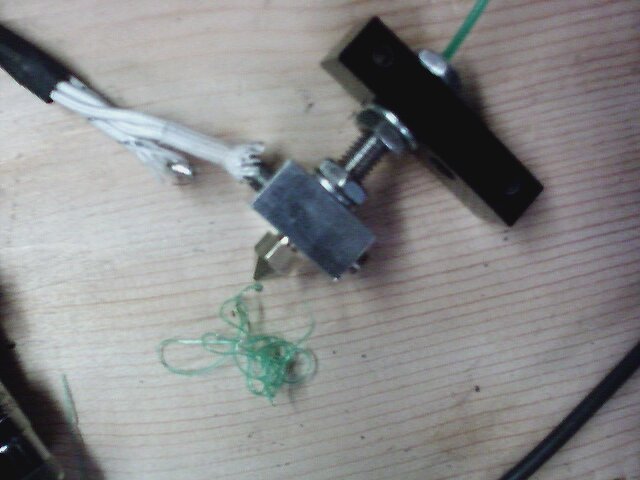
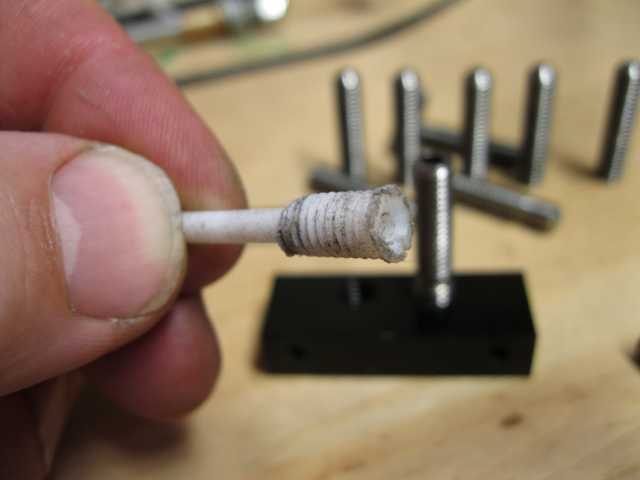
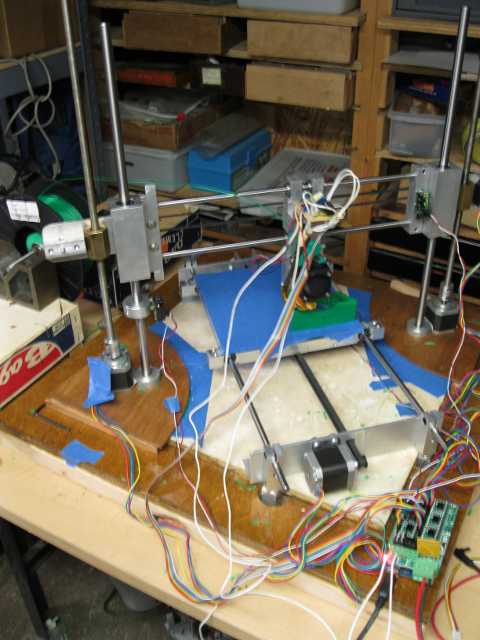
I’m thinking I’m going to have the printer running in a day or so… I got everything wired up I just need to assemble the extruder head.  One thing that I didn’t have was a small piece of ptfe to go over the thermistor. I had some thin stuff to go on the wires but..   I wound up wrapping the thermistor in kapton and then taping it down…

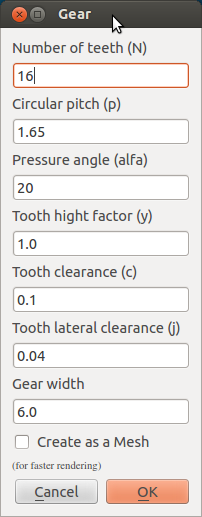
Anyway back to the topic at hand…  I’m thinking I want to print out something with a ring gear on it..  I did a little googling and apparently theirs a python script to do that for freecad called gear.pyHeres the link to the source http://free-cad.sourceforge.net/SrcDocu/df/d19/Gear_8py_source.html
I searched and I have it installed already..
jonasthomas@jonasthomas-Satellite-P305D:~$ locate Gear.py
/home/jonasthomas/freecad/free-cad/src/Mod/PartDesign/Scripts/Gear.py
/home/jonasthomas/freecad/qtcreator-build/Mod/PartDesign/Scripts/Gear.py

So I’m a bit rusty on this

Ok.. I had some problems running this… When copied this into a folder I use for py scripts fired up eric4 and ran my little special script..

#test.py
#this is a test routine to get run freecad entirely from the eric4 ide
import sys
# This is the standard location for the libraries in ubuntu.
#sys.path.append(“/usr/lib/freecad/lib/”)

#jonas thomas has his debug libraries here.
sys.path.append(“/home/jonasthomas/freecad/qtcreator-build/lib/”)

# jrheinlaender has his debug libary here.
#sys.path.append(“…/freecad-build-dbg/lib”)

import FreeCADGui
FreeCADGui.showMainWindow()
sys.path.append(“/home/jonasthomas/freecad/FreeCADPyCode/”)
import Gear

FreeCADGui.exec_loop()

And I pulled up this error

The debugged program raised the exception unhandled ImportError
“/home/jonasthomas/freecad/qtcreator-build/lib/StdMeshers.so: undefined symbol: _Z6aptrteidiPiP2R2iS1_RiRS1_S2_RS_S2_”
File: /home/jonasthomas/freecad/FreeCADPyCode/Gear.py, Line: 6

Break here?

I found something here about this
https://sourceforge.net/apps/mantisbt/free-cad/view.php?id=1081&nbn=4

Hmm.. It looks something with mesh… Soo I commented out the code like so…

import FreeCAD, FreeCADGui, Part, Draft, math
#, MeshPart, Mesh
from PyQt4 import QtGui,QtCore
App=FreeCAD
Gui=FreeCADGui

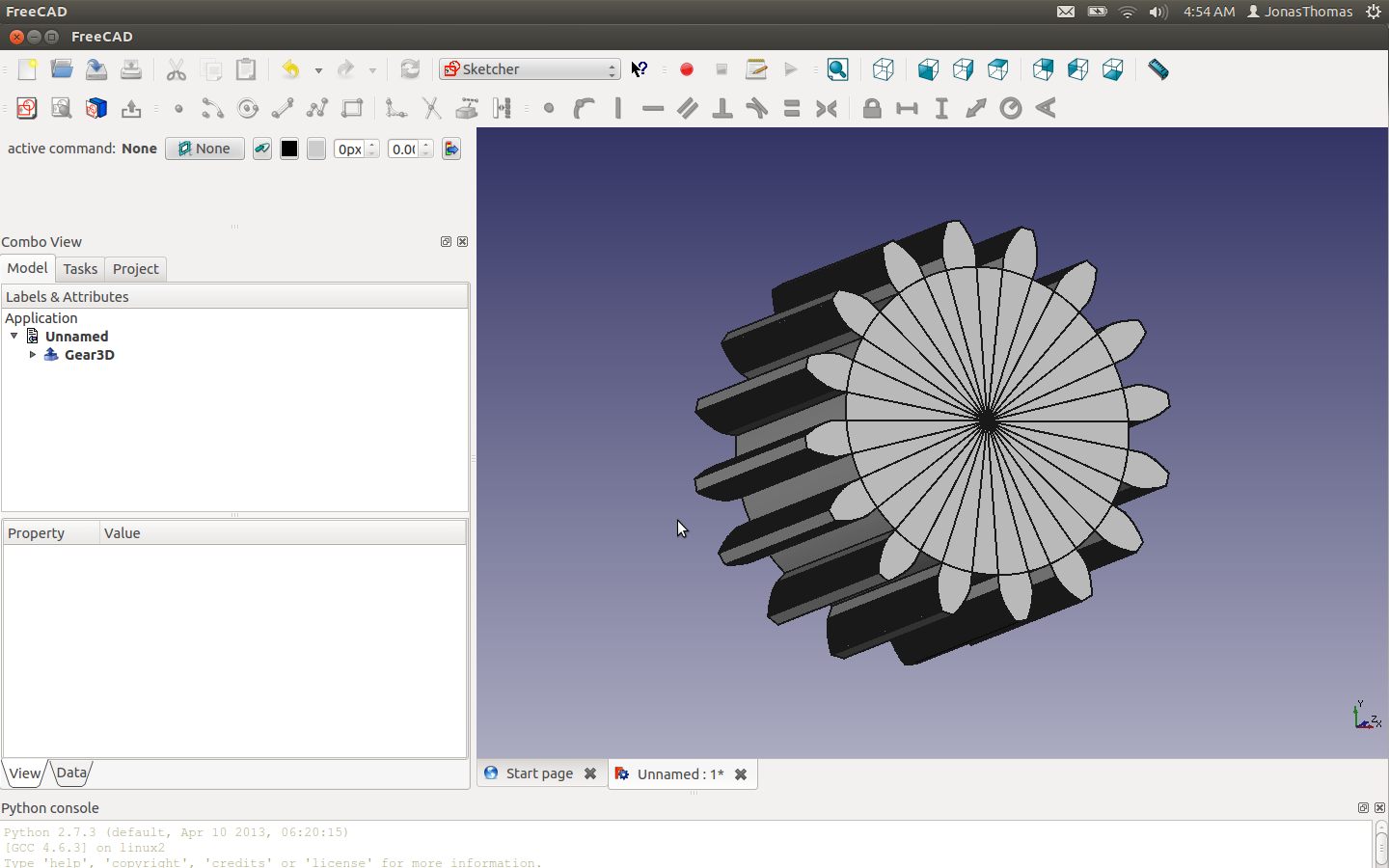
And I appear to be in business:

testGearData testgearprint

Posted in Uncategorized | 2 Comments

Working on fixing the leaks.

I had a leak in my printer using a  tube a made myself for my qu-bd printer head and I wanted to see if I could rework it.  The was some eccentricity present between the 45 degree chamfer and the drilled hole.  (They where done in machined in seperate setups.)  I think I should have been more careful deburring and a few other causes.

I had a few threaded  hole fixtures to locate in my 5C collet.   I noticed that some had had more  play than other s so I  selected the one with tightest fitted   I mounted the setup in my lathe and stuck a gauge pin in the hole.   I measured about .010″ run out.   I  also indicated the threaded od of the stainless steel tube and it measured run out at about .005″ which all thinks considered isn’t too bad..  (I wonder how concentric the thread od is to the OD of the threaded rod, I don’t have a direct easy way to measure that.)

So I to a  single point skin cut on the nose of the tube as well as a light cut on the nose.   I then proceeded to polish any burr’s out (which is what I think did me in last time)  I was hoping that the

Gauge pin in the tube for indicating

Gauge pin in the tube for indicating

recut would have taken the runout out of 45 degree angle  make the hole look a little more on center but no such luck.. I’m thinking the runout is in opposite directions.
I bought some new nozzles from qu-bd as spares and I wanted to see what the contact looked like using my tube.

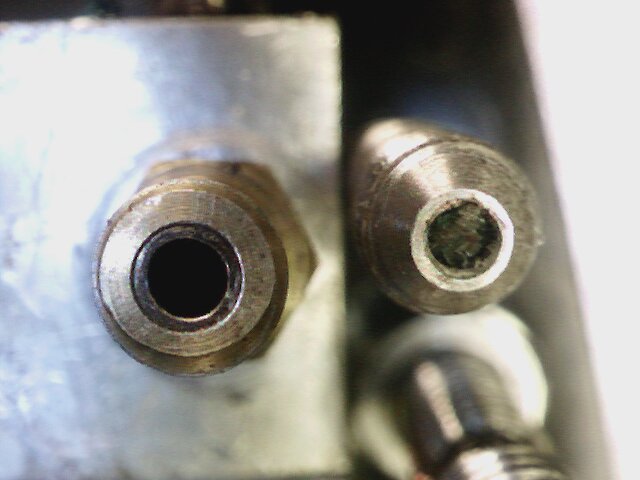
To my amazement it looks like I wasn’t getting contact on the face anymore but it look like it was occuring on the chamfer.   It appears that qu-db has modified their original kickstarter design and increased the bore size in their nozzle. The original

nozzle took a maximum .088 gauge pin while the .093.  This isn’t much, but it got me locating on the chamfer instead of the endface with I think in theory should provide an better seal.  So I’m shelving the original nozzles for now.

I but lockwashers on the tube on the hot and lower sections.  I was going to put it on the PTFE liner as well but it seems like it wasn’t going to work so I just tighten the nut without a lock washer.
I wanted to show was the difference in wall thickness when going from 3/32 (the current mod using Mcmaster stock PTFE tubing) and 1/8 machining my own… I think its pretty substantial.   I calculated the wall thickness of the thin tube.. I forget exactly what is was .015 or .018 thousand. Its just not enough IMHO.

I pushed a little plastic through the tube.. I seems like it hit a couple of rough spots starting out, but once it started flowing it seem like it was going ok…   Hopefully I can meet and exceed the initial success I had with the initial PFTE liner before the nozzle clog, and then cracking the tube..


New tube noze with .029 gauge pin as reference

New tube noze with .029 gauge pin as reference

side by side of the new tube and old cracked tube

side by side of the new tube and old cracked tube

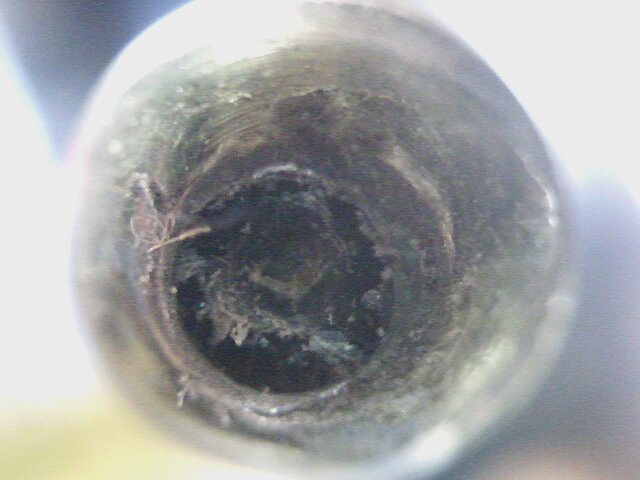
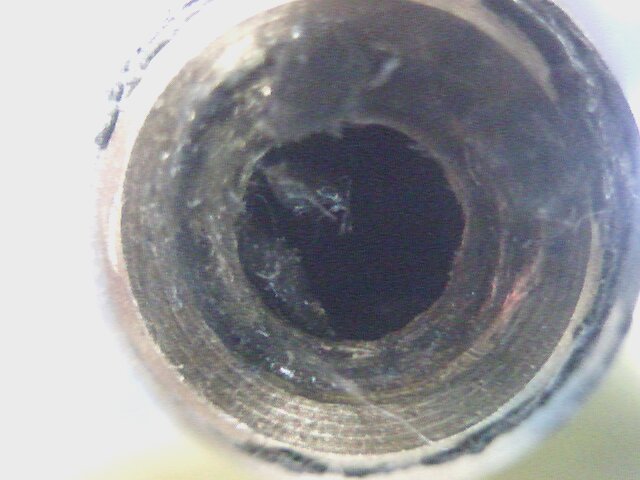
Polished bore of tube I made myself

Polished bore of tube I made myself

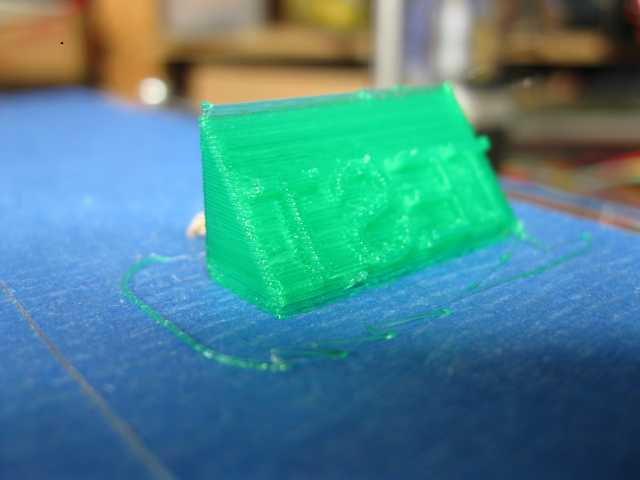
Initial Test Extrusion

Initial Test Extrusion

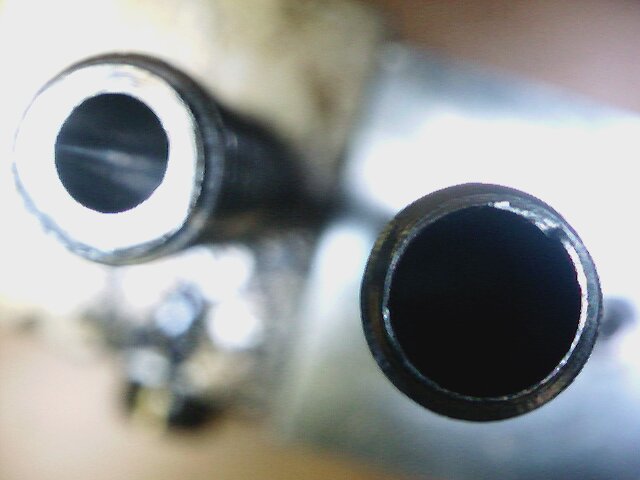
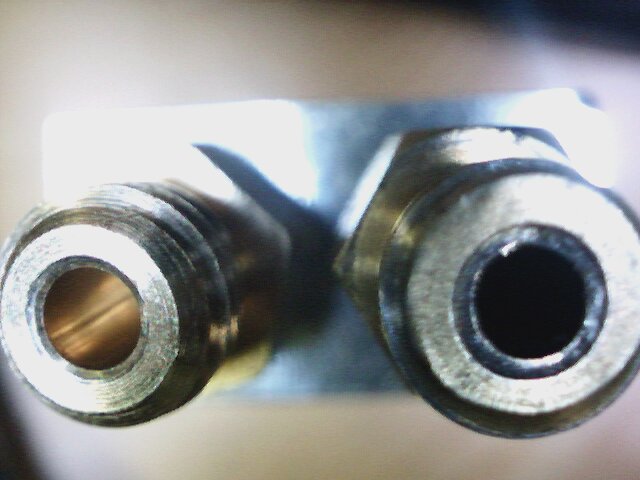
Side By side Nozzle. Old small bore nozzle on left.. New Bigger bore on right.

Side By side Nozzle. Old small bore nozzle on right.. New Bigger bore on left..

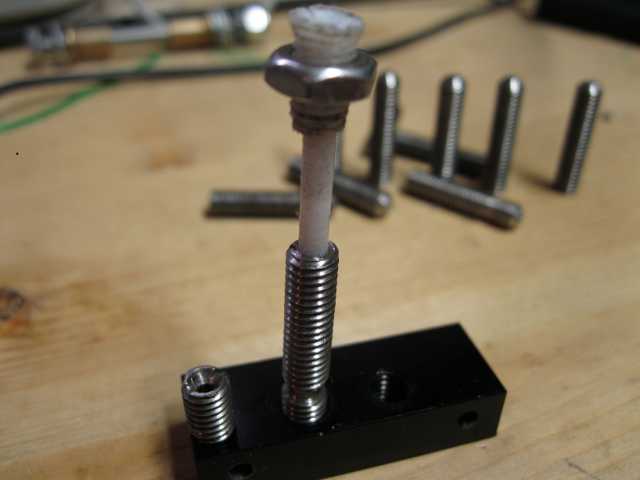
New ptfe liner I machined myslef.

New PTFE liner I machined.

Posted in Uncategorized | Leave a comment

Why the heck did my qu-bd mod leak?

I wanted to see what happened on why my mod failed.

This one I made the tube from scratch with a thinner ptfe liner. Notice the runout on the chamfer and the burr in the nozzle.

This one I made the tube from scratch with a thinner ptfe liner. Notice the runout on the chamfer and the burr in the nozzle.

This one didn't leak but had a clogged nozzle.  When I tried to disassemble I cracked the thin wall tube.

This one didn’t leak but had a clogged nozzle. When I tried to disassemble I cracked the thin wall tube.

Close up of the home made tube which caused the leak.. Notice the runout.

Close up of the home made tube which caused the leak.. Notice the runout and sharp jagged edges.

close up of the nozzle that leaked

close up of the nozzle that leaked

I had made  fixture to turn my blanks.  Basically put a piece of 3/4 bar in the collet chuck of my lathe and then single point bored it for concentricity.   I was checking it with pins and I noticed a few thou taper but  I bored it from both sides.    I then  the bored blanks in vblocks and then had tapped them in my lassey tapper….  The change gears on my lathe are inch and I don’t have cnc to single point the threads.   I did my best to make a nice fixture…  I thought it would be better to locate on the thread pd, plus I don’t have a 6mm 5c collett… That and I didn’t want to damage a collet clamping on a thread od.

I’m thinking there’s some slop between the fixture and the threads.   I held my blanks in place using a lock washer and a nut..  The front chamfer and the bore were done in seperate set up which accounts for the eccentricity.
I think I kicked up a bur in the brass nozzle caused by the sharp edges in the tube I made which resulted in the leak….   I’m thinking I need to loose the lock washer when I clamp my blank in the fixure and assuming that the od runs true to the PD. (no guarantees on that) I suppose I can try to indicate the thread od in…   I should also polish the end of the tube  and round off sharp edges to avoid creating another burr on the brass.

I’m going to see if I can salvage this tube by skin cutting the chamfer and front face…. Hopefully the run out is in the chamfer and not the bore.. If so I might stand a chance.   I’m thinking once done, I can heat the tube in the block without the nozzle and push some filmanent through to clean things up and get flush out any metal chips before putting on the nozzle.   I probably should lapp the bore to try to smooth out the tear marks that are probably in the bore from drilling.

Posted in Uncategorized | Leave a comment

Thinking about the next iteration of qu-bd mod’s

We’ll for PLA the qu-bd mbe stock design leave much to be desired, but I must say they ship spare parts  darn fast.  I placed and order for a heater and a few spare nozzles and it shipped same day.  This is the 3rd time I’ve ordered I’ve ordered from them and each time they shipped the same day.
I’m thinking I’m going to be printing for a while, so I figured I should have some non makeable (at this point) parts on hand.

Tonight I managed to salvage my heater.     Since my thermistor is shot, repartier wouldn’t warm up the heater block…  So hooked it up directly to my power supply and waited plastic to melt.  I managed to removed the molten plastic to get to the heater set screw.   I ran my nozzle into the undamaged side trying to squeeze some of the PLA that was stuck in the threads.   After I got as much molten stuff out of the way as I could, I let it cool and then ran a M6 tap down the heater plug, and then I installed my clogged nozzle.  The nozzle that leaked still has a lot of crud on the threads… In to the emergency spare parts I think.. Eventually I’ll probably hit it with a propane torch and

I ran a .30 drill in the heated nozzle from the tip a few times and then ran a drill in the opposite side to dry to catch what I pushed through.   Hopefully I’ll be back in business with this nozzle… (although I have spares on the way).

This is the second thermistor I’ve gone through.  The wire seems to all ways seems to break near the class.  Looking closely at them, they seem to be soldered near the glass to extend the leads.  I bought I bunch of spares, but I think I’ll hang on to this one, if I get stuck in desperate times at some point.

On my first thermistor, I used Jb-weld to glue it to the block and that seemed to work ok until the jb-weld fractured.  I built up a bit of a support

If I can find a small enough end mill I think I’m going spot at an angle to drill a small hole to set the thermistor in the heater block.  and then make a small trough for the wires.    I’m thinking I”m going to fill the hole with paste and then Kapton tape it down.   Hopefully this will keep the wires from fatiguing.

The next  iteration I just want to get up an printing again and try out my liner and see how it holds up.    I’m got some ideas for the next major iteration of the printer head in my organic head,  but I need my printer working to print out the parts.  I’m really curious to see my machined ptfe liner will hold up.

Uggg… time for bed.


Posted in Uncategorized | Leave a comment

One step forward two steps back (again)on my qu-bd retrofit saga.

I had done  a bunch of retrofits to my qu-bd printer, the last of which was installing a  PTFE liner, from the rework here. buildlog.net • View topic – 15 min fix for jam free QUBD .   This fix worked and probably got about 20-30 hours of printing before I think my nozzle got clogged.   The clogging I believe caused the heat to up the tub and the heat caused pla nut to sieze the stainless steel threaded plug.   When I tried the removed the plug I snapped the stainless steel tub.

In order to get “stock” Ptfe tubing for this retro fit, the bore needed to be opened to 5/32.(.1563)   the minor diameter of m6 threaded rod.

The minor diameter of a M6 thread ( http://www.newmantools.com/tech/threadm.htm ) 4.773 mm ( 0.187913)  The leaves about .015 wall thickness to the root diameter…   I can tell you that’s not enough..  I basically snapped a tube when I was trying to retrofit one and then another when I was going to remove the nozzle.   It’s not a good solution.

Than got me thinking…  Why not just machine a PTFE down for the tubing and while where at it machine the retaining nut out of PTFE.   Sooo… I did..  I actually machined some tubes out of stainless and then proceeded to machine down some 1/4 inch ptfe tubing, and drilled the liner hole in the stainless steel tube I made to 1/8.     I pressed the liner into the ss steel tube and then screwed the assembly into the upper cold end block.   Actually I was pleasantly surprised how nice that when together.   I suspect any other way would have been problematic.

The result was a one piece construction that was a combination retainer nut and liner.  I found I assemble the liner into the tube and then screwed both pieces in the top alumimum block.    I actually got a nice test print off which is where I noticed that I had a small leak going on in my heater block.   ( I hind site, there is a 45 degree chamfer on the stainless steel nozzle with a flat on the front.  I believe the seal on the brass nozzle/ss tube is flat on flat.   I’m thinking the flat on my tube was too small with caused the leak.)

FirstPrintAndOnlyPrintwithNewLiner newPTFEwithOldNutShown OnePiecePTFE PtfeOnePieceAssembled
So I see this leak and I think I just can tighten this up a bit an be done…  I’m doing this in the weee hours of the night/morning an should have just shut things down and try this again after a good nights rest…. but   noooooooo.    What I didn’t appreciate was how hard cool pla is.   When I tried to screw the brass nozzle back into the aluminium heater block, I stripped out the aluminium threads in the heater block, and while I was at it, I managed to break the thermistor wires.   On top of that, the pla has covered the retaining screw for the cartridge heater so I’m not sure I’ll be able to salvage that.  Ugggg.  (Perhaps I can chip it off) to get to the set screw..   (I’m thinking I probably I can burn off the pla from the treads of my nozzle with a propane torch…

On the plus side, except for lack of flat issue on my ss tube, It didn’t break and I was torque the begebers out of it.    I had drilled it out to .125 for the liner and that seemed to worked real nice.

Also, I had thought I could “catch” the pla by extending the PTFE rod and putting a nice angled guide…  It turns out that this didn’t work to well.    I think I’m going to need to cut down one the height a bit… The cooling fan is mouted to the front of the motor and gets in the way.  (At some point, I’m going to move the fan down and a bunch of other mods, which at this point I don’t think there going to be anything left of the qu-bd…

I’m thinking the single piece ptfe think could work and is worth one more try..  I just need to get the leak fixed which I think I just need to face off .005-.010″ from the front and it will be fine.

Posted in Uncategorized | Leave a comment

Small hiccup in my 3d printing activites..

I had gotten about 20-30 hours out of the last modification and I than I had a extrusion failure.
Initially, I thought I thought, the failure was the pla seizing on the nut holding the hollowed out M6 threaded rod and  the PTFE tube.

Later it became apparent the my nozzle was partially clogged.  In the process  of removing the nozzle I snapped the threaded rod.   Initially, I made a quick fixture when I drilled out the threaded rod.  Basically a piece of 7/8 ? bar with a tapped hole in it.   I believe the drill walked  when I but the hole in and It looks like that didn’t help the cause.  I broke the other one when I was drilling out the hole.

http://store.qu-bd.com/product.php?id_product=25

Anyway…. I’m not going to spend 8 bucks on a piece of machined threaded rod that I need to mod anyway…  Soooooo… I guess I’m going to take the time to make a nicer fixture by boring out rod so it’s concentric, and doing a small production run of these and to have the PTFE liner.
At some point, I think I’m going to wind up making my own extruder… While my modded qu-bd is  performing better now, I think it would be easier to have the features I want by starting from scratch.

Posted in Uncategorized | 2 Comments

Making Hay…

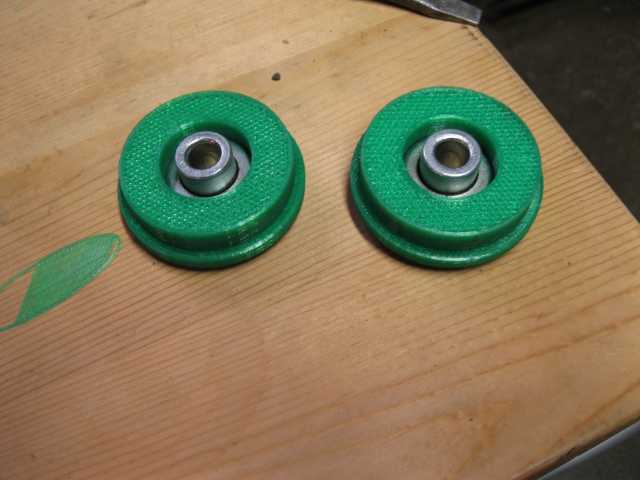
I finally got my printer working nicely..  I’ve been using a heavily modified qu-bd extruder.I hobbed my own gear wheel and did the modification where a bearing presses against the filament which presses against the gearwheel.  The problem that I’d been experiencing is that the PLA kept jamming.
It was really maddening.  I basically would have to watch the printer through a run waiting for it to jam..   I actually bought a J-head and was going to replace it with a ez-struder.    I did a little googling and I ran across this little fix.  http://www.buildlog.net/forum/viewtopic.php?f=27&t=1977&start=20
Wow I went from having 4 jams in a short print to having no jams in 20 Plus hours… It’s totally amazing.   Any here’s some pictures of what I’ve been up to.

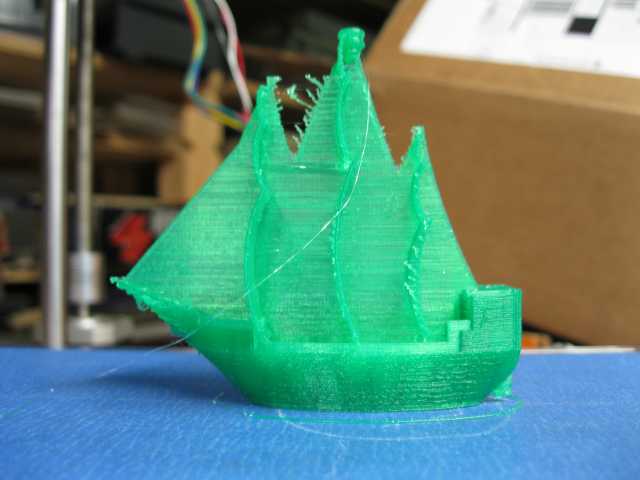
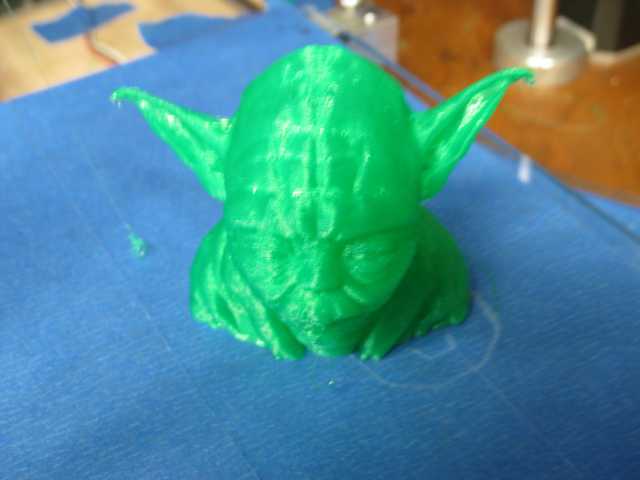
RockBot FanKnob SpoolSupport SpoolBearingAdapters PirateShip Yoda YodaInProgress

Posted in Uncategorized | Leave a comment

Calibrating my 3d printer

So.. I found this guide to calibration so I thought, I work through it.–

http://reprap.org/wiki/Triffid_Hunter%27s_Calibration_Guide

X-Y steps.
I’m using belts/pulleys that I had picked up from inventables.

https://www.inventables.com/technologies/mxl-belting-open-ended

https://www.inventables.com/technologies/plastic-mxl-pulley-dual-flange

X-Y

steps = motor_steps_per_rev * driver_microstep / belt_pitch / pulley_number_of_teeth
So… I’m thinkingsteps= 200*16/(.08*25.4)/18 =87.489

Z-axis
steps = motor_steps_per_rev * driver_microstep / thread_pitch
200*16/(25.4/24)=3023.622

E-Axis////
Calculate E_steps = motor_steps_per_rev * driver_microstep * big_g+ear_teeth / small_gear_teeth / PI / hob_effective_diameter
So I have a direct drive so the gear teeth come out and I hoped my own gear… ~11.2
steps = 200*16/3.14/11.2=90.99

He’re what I had in there to begin wi`th:
float axis_steps_per_unit[] = {80, 80, 3200/1.25,94};

Revising to:

float axis_steps_per_unit[] = {87.489, 87.489, 3023.622,90.99};

The guide said the correct z-height should be a piece of paper barely catching. A piece of paper is about .003 inch thick.
At the moment I can easily stick a .026 feeler gauge under this..

On my setup, I have a space between the z-axis bearing support and the collar that holds the Optical encoder.  With .026 pace I have fit in a .281 gauge pin..
So need  to shrink the distance .023 soo… lets try adjusting the distance to .281+.023  = .258 Pin
That worked well.  One piece of paper goes… and 2 pieces of paper is a no go.

So… I had marked my filament at 150 mm and ran 100 mm of feed.  My resultant length was 58.78 mm.
IOW 100 mm theoretical correlates  to 91.22 actual

Soo.. the formula:
new_e_steps = e_steps * 100mm / measured_distance
= 90.99*100/91.22 =99.75

I’m feeling luck so this goes into the firmware..
Hmm. with that Adjustment I get 103.86 MM extruded.. Close enough now.

So.. Next steps in calibration is slicer settings.
I have a .35 mm nozzle so I’ll try a layer height of .28 and with of .4

—- Followup with intial calibration.

I’ve been gettin/*g some reasonable results with my qu-bd extruder, although from what I’ve been reading PLA can be tough material to extrude because of it’s high co-efficient of friction and it’s low melting point.   I wound up lapping the extruder tube with some lapping compound and I put some zinc oxide paste on between the cooling fins and the block that supports the cooling tube.   My theory is that the cooler I keep the tube away from the hotend  the better off I’ll be.

So far, I’ve been more or less successful with the 20 mm test cube: http://www.thingiverse.com/thing:38108
and the 5 mm calibration tube steps.
Other attempts without much success so far have been the :
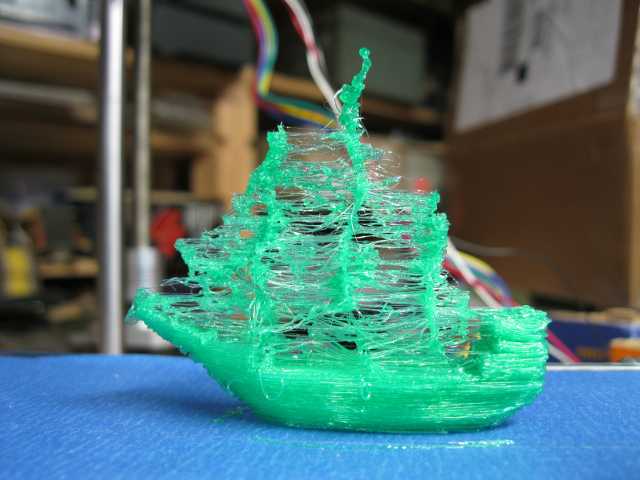
pirate ship http://www.thingiverse.com/thing:12856
ender dragon: http://www.thingiverse.com/thing:33198
Darth Vader Head: http://www.thingiverse.com/thing:1783

I think there are some speed tricks I need to work out with the pirate ship to get the sails work out.

On the ender dragon I was having issues with the rafts sticking.  (My current theory is to keep the temperature down so I don’t heat the PLA so much that it jams.. Unfortunately, if I’m building rafts this causes problems

I started nothing skipping issues with the printer a little bit with the ender dragon and big time with Darth… Googling around a bit, it appears that the polulus with shut down if that get too hot.    I ran across this which looked worth trying to me.

http://reprap.org/wiki/Pololu_stepper_driver_board

Ok.. I wound u

*–**

Posted in Uncategorized | 1 Comment

1 step forwards 2 steps back on the 3d printer.

To anyone reading this, my apologies on the roughness of these notes…  I’m sure there’s plenty of typo’s grammar mistakes.  I was sort of time-strapped when I did this.

It was sort of irritating that I had to reformat my drive form scratch, I think think to document it the first time around.  Hopefully this will help someone out.

I had a T3410 E-machine desktop  in inventory that I wanted to use for my 3d printer instead of my laptop.

I had setup it up for ubuntu 12.04  and spent about 1 1/2 days getting the thing setup.   I was literally in the last steps of getting things setup when I did something incredibly stupid.

I was in the middle of compiling  slicer when I thought I kill the lights… Well, it turns out that my computer was run off that power strip….  Well, that really mucked up the works and I need to live cd to boot… Rather than attempting a repair, I  decided to reformat the drive and start from scratch. This time I decided to keep notes on what I did, (on the off chance I’ll do something stupid like this again.)

We’ll lets see if I can find my research links..

The first that I need to tweak was my video card.

I’ve got all kinds of horizontal lines going on after installing 12.04.

I guess the fix was here.

http://askubuntu.com/questions/227487/horizontal-line-across-screen-at-startup

So.. press Ctrl-alt-f1 to open terminal session and here are the magic steps needed to get that straightened out.

sudo apt-get –purge autoremove

sudo apt-get clean

sudo apt-get update

sudo apt-get install nvidia-experimental-304

sudo apt-get install nvidia-settings-experimental-304

rebooting.. and problem has gone away…

78/////+/+41962-555g5 (that was the cat saying hello..)

One small rant here. When I installed I said to automatically update. I then went to work..

Now when got up home and ran the update manager, I have 571 updates 303.mb… (that’s one of the reasons this took me so long the first time.) When I run the update manager I get kinds of problems because the update manager is having issues because of updates not being made… (sort of oxy moronic)..

Anyway… Time for the command line..

I did a quick google here and I came up with this.

http://askubuntu.com/questions/141119/what-is-the-equivalent-terminal-command-of-update-manager

and suggests this command:

sudo apt-get dist-upgrade

Hrrrgg.. Slow connection this is going to take a while.

Lets.. Next thing on the list

I had downed preconfigured sprinter software from here: http://ultimachine.com/sites/default/files/UltiMachineRAMPS1-4Sprinter.zip . and I had wound up copying it from my laptop…

The thing is that I need to download Arduino 0023 to get that to run..

I got that from here: http://www.arduino.cc/en/Main/Software

Ok.. So first thing I get is that java: not found.. (I suppose I need to wait for the updates to finish.

(Done finally… I had burned an install disk for 12.04 shortly after it came out… That might have been part of the problem.

Since my gui is now working… went with the ubuntu software center and entered Java and installed Java 7 Runtime.

Ok… Now to get Repertier-host downloaded from but first I need mono… Might was well go with monDevelop which I thing should have the run time with it…

so… to www.repetier.com/download and go with linux .85c

Now you need to run ./configureFirst.sh

The one issue I have with Repertier is that you can’t just come back and it’s done… You have to hit a yes every now and then.

Ok… Back to Arduino IDE 0023. When I try running a program I get “Cannot run program “Avr-g++”: error=2, no such file or directory.” I remember that I just need to load something.

Got it from here. http://code.google.com/p/arduino/wiki/BuildingArduino The command is:

sudo apt-get install gcc-avr avr-libc

Next error:

In file included from Sprinter.cpp:6:0:

pins.h:217:3: error: #error Oops! Make sure you have ‘Arduino Mega’ selected from the ‘Tools -> Boards’ menu.

Sprinter.cpp: In function ‘void setup()’:

Sprinter.cpp:246:1: error: ‘DIO55_DDR’ was not declared in this scope

Sprinter.cpp:246:5: error: ‘DIO55_PIN’ was not declared in this scope

Sprinter.cpp:249:1: error: ‘DIO61_DDR’ was not declared in this scope

Sprinter.cpp:249:5: error: ‘DIO61_PIN’ was not declared in this scope…..

Thanks an easy one, I just need to go Tool->Board and select Arduino Mega 2560 on the pull down…

Next error.:

In file included from /usr/lib/gcc/avr/4.5.3/../../../avr/include/util/delay.h:44:0,
from /usr/lib/gcc/avr/4.5.3/../../../avr/include/avr/delay.h:37,
from /home/jonasthomas/Arduino0023/arduino-0023/hardware/arduino/cores/arduino/wiring_private.h:30,
from /home/jonasthomas/Arduino0023/arduino-0023/hardware/arduino/cores/arduino/WInterrupts.c:34:
/usr/lib/gcc/avr/4.5.3/../../../avr/include/math.h:426:15: error: expected identifier or ‘(’ before ‘double’
/usr/lib/gcc/avr/4.5.3/../../../avr/include/math.h:426:15: error: expected ‘)’ before ‘>=’ token

Hmm.. Amusing found the soluction in my own blog… http://www.metalshaperman.com/?p=1461

Next one:

Binary sketch size: 20014 bytes (of a 258048 byte maximum)processing.app.SerialNotFoundException: Serial port ‘COM1’ not found.  Did you select the right one from the Tools > Serial Port menu?    at processing.app.Serial.<init>(Serial.java:153)    at processing.app.Serial.<init>(Serial.java:76)    at processing.app.debug.Uploader.flushSerialBuffer(Uploader.java:75)    at processing.app.debug.AvrdudeUploader.uploadViaBootloader(AvrdudeUploader.java:93)    at processing.app.debug.AvrdudeUploader.uploadUsingPreferences(AvrdudeUploader.java:56)    at processing.app.Sketch.upload(Sketch.java:1603)    at processing.app.Sketch.exportApplet(Sketch.java:1568)    at processing.app.Sketch.exportApplet(Sketch.java:1524)    at processing.app.Editor$DefaultExportHandler.run(Editor.java:2293)    at java.lang.Thread.run(Thread.java:722)

Hmm… that’s a new one (well maybe not…)

http://blog.markloiseau.com/2012/05/install-arduino-ubuntu/

Ok… I needed permissions setup on the port..
Author suggests this: sudo chmod a+rw /dev/ttyACM0

Ok… that did it…  So arduino firmware is all setup… Lets see if I can can repetierHost  to work…

Looking at readme.txt it was talking about.

usermod -a -G dialout yourUserName
My as well do that too.

Ok… tried connect… That didn’t work…. Tried to slice…. No joy either..

Here are the messages”

01:22:28.357 : OpenGL version:2.1.2 NVIDIA 304.4801:22:28.358 : OpenGL extensions:GL_ARB_color_buffer_float GL_ARB_compressed_texture_pixel_storage GL_ARB_conservative_depth GL_ARB_copy_buffer GL_ARB_depth_clamp GL_ARB_depth_texture GL_ARB_draw_buffers GL_ARB_ES2_compatibility GL_ARB_explicit_attrib_location GL_ARB_fragment_program GL_ARB_fragment_program_shadow GL_ARB_fragment_shader GL_ARB_framebuffer_object GL_ARB_get_program_binary GL_ARB_half_float_pixel GL_ARB_half_float_vertex GL_ARB_imaging GL_ARB_internalformat_query GL_ARB_map_buffer_alignment GL_ARB_map_buffer_range GL_ARB_multisample GL_ARB_multitexture GL_ARB_occlusion_query GL_ARB_occlusion_query2 GL_ARB_pixel_buffer_object GL_ARB_point_parameters GL_ARB_point_sprite GL_ARB_provoking_vertex GL_ARB_robustness GL_ARB_sampler_objects GL_ARB_separate_shader_objects GL_ARB_shader_objects GL_ARB_shading_language_100 GL_ARB_shading_language_420pack GL_ARB_shading_language_include GL_ARB_shadow GL_ARB_sync GL_ARB_texture_border_clamp GL_ARB_texture_compression GL_ARB_texture_cube_map GL_ARB_texture_env_add GL_ARB_texture_env_combine GL_ARB_texture_env_crossbar GL_ARB_texture_env_dot3 GL_ARB_texture_float GL_ARB_texture_mirrored_repeat GL_ARB_texture_non_power_of_two GL_ARB_texture_rectangle GL_ARB_texture_rg GL_ARB_texture_storage GL_ARB_texture_swizzle GL_ARB_timer_query GL_ARB_transpose_matrix GL_ARB_vertex_array_bgra GL_ARB_vertex_array_object GL_ARB_vertex_buffer_object GL_ARB_vertex_program GL_ARB_vertex_shader GL_ARB_window_pos GL_ATI_draw_buffers GL_ATI_texture_float GL_ATI_texture_mirror_once GL_S3_s3tc GL_EXT_texture_env_add GL_EXT_abgr GL_EXT_bgra GL_EXT_blend_color GL_EXT_blend_equation_separate GL_EXT_blend_func_separate GL_EXT_blend_minmax GL_EXT_blend_subtract GL_EXT_compiled_vertex_array GL_EXT_Cg_shader GL_EXT_depth_bounds_test GL_EXT_direct_state_access GL_EXT_draw_range_elements GL_EXT_fog_coord GL_EXT_framebuffer_blit GL_EXT_framebuffer_multisample GL_EXT_framebuffer_object GL_EXT_gpu_program_parameters GL_EXT_multi_draw_arrays GL_EXT_packed_depth_stencil GL_EXT_packed_pixels GL_EXT_pixel_buffer_object GL_EXT_point_parameters GL_EXT_provoking_vertex GL_EXT_rescale_normal GL_EXT_secondary_color GL_EXT_separate_shader_objects GL_EXT_separate_specular_color GL_EXT_shadow_funcs GL_EXT_stencil_two_side GL_EXT_stencil_wrap GL_EXT_texture3D GL_EXT_texture_compression_dxt1 GL_EXT_texture_compression_s3tc GL_EXT_texture_cube_map GL_EXT_texture_edge_clamp GL_EXT_texture_env_combine GL_EXT_texture_env_dot3 GL_EXT_texture_filter_anisotropic GL_EXT_texture_format_BGRA8888 GL_EXT_texture_lod GL_EXT_texture_lod_bias GL_EXT_texture_mirror_clamp GL_EXT_texture_object GL_EXT_texture_sRGB GL_EXT_texture_sRGB_decode GL_EXT_texture_storage GL_EXT_texture_swizzle GL_EXT_timer_query GL_EXT_vertex_array GL_EXT_vertex_array_bgra GL_EXT_x11_sync_object GL_EXT_import_sync_object GL_IBM_rasterpos_clip GL_IBM_texture_mirrored_repeat GL_KTX_buffer_region GL_NV_alpha_test GL_NV_blend_minmax GL_NV_blend_square GL_NV_complex_primitives GL_NV_copy_depth_to_color GL_NV_depth_clamp GL_NV_ES1_1_compatibility GL_NV_fbo_color_attachments GL_NV_fence GL_NV_float_buffer GL_NV_fog_distance GL_NV_fragdepth GL_NV_fragment_program GL_NV_fragment_program_option GL_NV_fragment_program2 GL_NV_framebuffer_multisample_coverage GL_NV_half_float GL_NV_light_max_exponent GL_NV_multisample_filter_hint GL_NV_occlusion_query GL_NV_packed_depth_stencil GL_NV_pixel_data_range GL_NV_point_sprite GL_NV_primitive_restart GL_NV_register_combiners GL_NV_register_combiners2 GL_NV_texgen_reflection GL_NV_texture_barrier GL_NV_texture_compression_vtc GL_NV_texture_env_combine4 GL_NV_texture_expand_normal GL_NV_texture_lod_clamp GL_NV_texture_rectangle GL_NV_texture_shader GL_NV_texture_shader2 GL_NV_texture_shader3 GL_NV_vertex_array_range GL_NV_vertex_array_range2 GL_NV_vertex_program GL_NV_vertex_program1_1 GL_NV_vertex_program2 GL_NV_vertex_program2_option GL_NV_vertex_program3 GL_NVX_conditional_render GL_OES_compressed_paletted_texture GL_OES_depth24 GL_OES_depth32 GL_OES_depth_texture GL_OES_element_index_uint GL_OES_fbo_render_mipmap GL_OES_get_program_binary GL_OES_mapbuffer GL_OES_packed_depth_stencil GL_OES_point_size_array GL_OES_point_sprite GL_OES_rgb8_rgba8 GL_OES_read_format GL_OES_standard_derivatives GL_OES_texture_3D GL_OES_texture_float GL_OES_texture_float_linear GL_OES_texture_half_float GL_OES_texture_half_float_linear GL_OES_texture_npot GL_OES_vertex_array_object GL_OES_vertex_half_float GL_SGIS_generate_mipmap GL_SGIS_texture_lod GL_SGIX_depth_texture GL_SGIX_shadow GL_SUN_slice_accum 01:22:28.358 : OpenGL renderer:GeForce 6100/integrated/SSE2/3DNOW!01:22:28.358 : Using fast VBOs for rendering is possible01:22:55.677 : No such file or directory01:23:26.830 : No such file or directory01:23:49.058 : <Slic3r> Can’t locate Boost/Geometry/Utils.pm in @INC (@INC contains: /home/jonasthomas/RepetierHost/Slic3r/lib /etc/perl /usr/local/lib/perl/5.14.2 /usr/local/share/perl/5.14.2 /usr/lib/perl5 /usr/share/perl5 /usr/lib/perl/5.14 /usr/share/perl/5.14 /usr/local/lib/site_perl .) at /home/jonasthomas/RepetierHost/Slic3r/lib/Slic3r.pm line 32.01:23:49.058 : <Slic3r> BEGIN failed–compilation aborted at /home/jonasthomas/RepetierHost/Slic3r/lib/Slic3r.pm line 32.01:23:49.058 : <Slic3r> Compilation failed in require at /home/jonasthomas/RepetierHost/Slic3r/slic3r.pl line 13.01:23:49.058 : <Slic3r> BEGIN failed–compilation aborted at /home/jonasthomas/RepetierHost/Slic3r/slic3r.pl line 13.

If memory serves me correctly I fixed the slicer issue by renaming the slicer folder name doing a git pull and  compiling from source.  The incanctations where a bit unusual…  Lets see if I can find them.
I can’t find the link talking about this problem and the fix… But I found these instructions for pulling from git and building. https://github.com/alexrj/Slic3r/wiki/Running-Slic3r-from-git-on-GNU-Linux I’m wondering if at this point, I should pull repetier-host down from github and just compile the whole thing from scratch… But… for know this is what I’m doing.

Hmm.. Didn’t work… This is what I did…:

jonasthomas@rockbot1:~$ cd RepetierHost
jonasthomas@rockbot1:~/RepetierHost$ ls
APACHE-LICENSE-2.0.txt           OpenTK.xml
changelog.txt                    README.txt
configureFirst.sh                repetierHost
data                             RepetierHost.application
empty.txt                        RepetierHost.exe
installDependenciesDebian        RepetierHost.exe.manifest
installDependenciesFedora        Repetier-Host-licence.txt
OpenTK.Compatibility.dll         RepetierHost.pdb
OpenTK.Compatibility.dll.config  RepetierHost.vshost.application
OpenTK.Compatibility.xml         RepetierHost.vshost.exe
OpenTK.dll                       SomethingWeird hreonSlic3r
OpenTK.dll.config                version.txt
OpenTK.GLControl.dll             workdirectory
OpenTK.GLControl.xml
jonasthomas@rockbot1:~/RepetierHost$ sudo apt-get install git build-essential libgtk2.0-dev libwxgtk2.8-dev libwx-perl libmodule-build-perl libnet-dbus-perl
[sudo] password for jonasthomas:
Sorry, try again.
[sudo] password for jonasthomas:
Reading package lists… Done
Building dependency tree
Reading state information… Done
git is already the newest version.
libgtk2.0-dev is already the newest version.
libmodule-build-perl is already the newest version.
libnet-dbus-perl is already the newest version.
libwx-perl is already the newest version.
libwxgtk2.8-dev is already the newest version.
build-essential is already the newest version.
0 upgraded, 0 newly installed, 0 to remove and 10 not upgraded.
jonasthomas@rockbot1:~/RepetierHost$
jonasthomas@rockbot1:~/RepetierHost$ sudo apt-get install cpanminus
Reading package lists… Done
Building dependency tree
Reading state information… Done
cpanminus is already the newest version.
0 upgraded, 0 newly installed, 0 to remove and 10 not upgraded.
jonasthomas@rockbot1:~/RepetierHost$ sudo git clone https://github.com/alexrj/Slic3r.git
Cloning into ‘Slic3r’…
remote: Counting objects: 12160, done.
remote: Compressing objects: 100% (7185/7185), done.
remote: Total 12160 (delta 6414), reused 10411 (delta 4700)
Receiving objects: 100% (12160/12160), 4.02 MiB | 242 KiB/s, done.
Resolving deltas: 100% (6414/6414), done.
jonasthomas@rockbot1:~/RepetierHost$ cd Slic3r
jonasthomas@rockbot1:~/RepetierHost/Slic3r$ sudo apt-get install libwx-perl
Reading package lists… Done
Building dependency tree
Reading state information… Done
libwx-perl is already the newest version.
0 upgraded, 0 newly installed, 0 to remove and 10 not upgraded.
jonasthomas@rockbot1:~/RepetierHost/Slic3r$ sudo cpanm Boost::Geometry::Utils Math::Clipper \
>     Math::ConvexHull Math::ConvexHull::MonotoneChain Math::Geometry::Voronoi Math::PlanePath Moo Wx XML::SAX
–> Working on Boost::Geometry::Utils
Fetching http://www.cpan.org/authors/id/A/AA/AAR/Boost-Geometry-Utils-0.15.tar.gz … OK
Configuring Boost-Geometry-Utils-0.15 … OK
==> Found dependencies: ExtUtils::Typemaps::Default
–> Working on ExtUtils::Typemaps::Default
Fetching http://www.cpan.org/authors/id/S/SM/SMUELLER/ExtUtils-Typemaps-Default-1.03.tar.gz … OK
Configuring ExtUtils-Typemaps-Default-1.03 … OK
==> Found dependencies: ExtUtils::Typemaps
Found ExtUtils::Typemaps 3.18 which doesn’t satisfy 3.18_03.
! Installing the dependencies failed: Installed version (3.18) of ExtUtils::Typemaps is not in range ‘3.18_03’
! Bailing out the installation for ExtUtils-Typemaps-Default-1.03.
! Installing the dependencies failed: Module ‘ExtUtils::Typemaps::Default’ is not installed
! Bailing out the installation for Boost-Geometry-Utils-0.15.
–> Working on Math::Clipper
Fetching http://www.cpan.org/authors/id/A/AA/AAR/Math-Clipper-1.22.tar.gz … OK
Configuring Math-Clipper-1.22 … OK
==> Found dependencies: ExtUtils::Typemaps::Default
! Installing the dependencies failed: Module ‘ExtUtils::Typemaps::Default’ is not installed
! Bailing out the installation for Math-Clipper-1.22.
Math::ConvexHull is up to date. (1.04)
Math::ConvexHull::MonotoneChain is up to date. (0.01)
Math::Geometry::Voronoi is up to date. (1.3)
–> Working on Math::PlanePath
Fetching http://www.cpan.org/authors/id/K/KR/KRYDE/Math-PlanePath-106.tar.gz … OK
Configuring Math-PlanePath-106 … OK
Building and testing Math-PlanePath-106 … OK
Successfully installed Math-PlanePath-106 (upgraded from 105)
Moo is up to date. (1.002000)
Wx is up to date. (0.9922)
–> Working on XML::SAX
Fetching http://www.cpan.org/authors/id/G/GR/GRANTM/XML-SAX-0.99.tar.gz … OK
Configuring XML-SAX-0.99 … OK
==> Found dependencies: XML::NamespaceSupport, XML::SAX::Base
–> Working on XML::NamespaceSupport
Fetching http://www.cpan.org/authors/id/P/PE/PERIGRIN/XML-NamespaceSupport-1.11.tar.gz … OK
Configuring XML-NamespaceSupport-1.11 … OK
Building and testing XML-NamespaceSupport-1.11 … OK
Successfully installed XML-NamespaceSupport-1.11
–> Working on XML::SAX::Base
Fetching http://www.cpan.org/authors/id/G/GR/GRANTM/XML-SAX-Base-1.08.tar.gz … OK
Configuring XML-SAX-Base-1.08 … OK
Building and testing XML-SAX-Base-1.08 … OK
Successfully installed XML-SAX-Base-1.08
Building and testing XML-SAX-0.99 … OK
Successfully installed XML-SAX-0.99
4 distributions installed
jonasthomas@rockbot1:~/RepetierHost/Slic3r$ ./slic3r.pl
Can’t locate Boost/Geometry/Utils.pm in @INC (@INC contains: /home/jonasthomas/RepetierHost/Slic3r/lib /etc/perl /usr/local/lib/perl/5.14.2 /usr/local/share/perl/5.14.2 /usr/lib/perl5 /usr/share/perl5 /usr/lib/perl/5.14 /usr/share/perl/5.14 /usr/local/lib/site_perl .) at /home/jonasthomas/RepetierHost/Slic3r/lib/Slic3r.pm line 32.
BEGIN failed–compilation aborted at /home/jonasthomas/RepetierHost/Slic3r/lib/Slic3r.pm line 32.
Compilation failed in require at ./slic3r.pl line 13.
BEGIN failed–compilation aborted at ./slic3r.pl line 13.
jonasthomas@rockbot1:~/RepetierHost/Slic3r$

Ahhh… Here it is:
http://forums.reprap.org/read.php?263,215641,216643#msg-216643

OMG yes it works!
For those with the same problem, delete all files and folders, or rename containing slic3r.
Then follow source download instructions here:
[slic3r.org]
ignore the part underneath that talks about installing other crap first. Just do the top four lines and it works, installs everything checks everything.
When your finished you can enter slic3r with ./slic3r.pl and it will work!

In other words:
$ git clone git://github.com/alexrj/Slic3r
$ cd Slic3r
$ sudo perl Build.PL
$ sudo cpan Wx

Cool… That got slic3r working in repartier….
It seems like I’m having issues getting a connection going in repartier..
Hmm.Been there done that… I spent some time head scratching on that one as well.
What I wound up doing is looking at the port that my arduino IDE selected and then went into Config printer settings in repartier-host and selected that one as well. (Also I’m not positive you need put I had my laptop baud rate set at 115200.   I did the same on my desktop and I got the darn thing to work.

Posted in Uncategorized | Leave a comment

Getting back in business working my way to calibrating my reprap.

Back from vacation…   So..  I wound up sending my ramps 1.4 back to Ultimachine and they fixed my problem.   They fixed it for me no-cost..   I’m suspecting it was part of my own stupidity that led to this failure,  so I made it a point to order some parts I needed to get this thing going again.    I needed some Kapton tape and they didn’t have that but some other stuff in stock.  So I got that instead.   Ultimachine has taken care of me, and I appreciate that…

When I put things back to together, I couldn’t get the extruder to heat up.   I tracked it down to a broken thermistor wire.   Luckily I got 2 qu-bd extruders in the kickstarter so I have a backup thermistor on hand.    I was impatient so I didn’t Jb-weld then thermistor to the block.   I did wrap it up real good though with the tape I just bought.

Before I went on vacation, I expanded my laptop to 4-gig from Fry’s.  I was doing some stuff in free-cad and the weirdess thing happened in freecad.    I wound up using the constraint solver and I adherently created a difficult to solve constraint.    My laptop basically crashed.   I thought linux didn’t do that sort of thing.  This is new behavior for my laptop..
The reason I bring this up, is that I was trying to print  this http://www.thingiverse.com/thing:12856

Posted in Uncategorized | Leave a comment